EasyManua.ls Logo

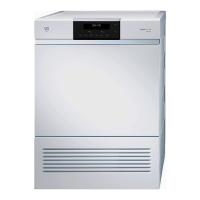
V-ZUG Unimatic TL WP - User Manual

V-ZUG Unimatic TL WP
60 pages
Print Icon
To Next Page IconTo Next Page
Loading...
Tumble dryer
Unimatic TL WP
Operating instructions
V-ZUG Ltd
Question and Answer IconNeed help?

Do you have a question about the V-ZUG Unimatic TL WP and is the answer not in the manual?

Summary

Safety precautions

1.1 Transport

Instructions for safely moving the appliance.

1.2 Before using for the first time

Initial setup and waiting period before operation.

1.3 Correct use

Guidelines for proper appliance operation and prohibitions.

1.4 Children in the home

Safety advice regarding children and the appliance.

1.5 Note on use

Important operational advice and warnings.

1.6 Note on maintenance

Crucial points to observe during appliance maintenance.

Your appliance

2.1 Appliance description

Overview of the appliance's features and operating principle.

2.2 Appliance construction

Identification of appliance parts and their locations.

2.3 Operating and display elements

Explanation of control panel buttons, symbols, and indicators.

2.4 Using for the first time

Step-by-step guide for the initial function test.

Programme overview

3.1 Programme sequence for the automatic programmes

Details the three phases of automatic drying programmes.

3.2 Automatic programmes

Lists and describes available automatic drying programs.

3.3 Additional programme

Explains the 'Timed drying' option.

3.4 Additional functions

Details 'Easy care' and 'Delayed start' functions.

User settings

4.1 Childproof lock

How to activate and deactivate the child safety lock.

4.2 Level of dryness

Adjusting the drying intensity for different fabric types.

4.3 Automatic door opener

Functionality and settings for the automatic door opening feature.

4.4 Restoring factory settings

Procedure for restoring the appliance to its default settings.

Drying

5.1 Preparing the appliance

Steps before starting a drying cycle, including loading.

5.2 General note on programme selection

Guidance on choosing the most suitable drying program.

5.3 Selecting an automatic programme

Step-by-step instructions for choosing an automatic drying program.

5.4 Selecting timed drying

How to use the timed drying program for specific needs.

5.5 Selecting easy care

Instructions for selecting the 'Easy care' program for delicate items.

5.6 Selecting a delayed start

Setting a future start time for a drying program.

5.7 Interrupting a programme

How to pause and resume a drying cycle.

5.8 Aborting a programme

Procedure to stop and clear a running drying program.

5.9 Programme selection with childproof lock activated

Operating the appliance with the child lock enabled.

5.10 End of programme

Actions upon program completion, including unloading and cleaning.

Care and maintenance

6.1 Cleaning intervals

Schedule for cleaning different appliance parts.

6.2 A9 error message

Explanation of the 'A9' error and its common causes.

6.3 A11 error message

Explanation of the 'A11' error and its common causes.

6.4 Build-up of fluff

Information on how and why fluff accumulates in the dryer.

6.5 Removing fluff

Instructions for removing fluff from filters.

6.6 Cleaning the door filter;filter mat

Detailed steps for cleaning the door filter and its mat.

6.7 Cleaning the mesh filter in the base

Guide for cleaning the mesh filter located at the appliance base.

6.8 Cleaning the heat pump filter

Instructions for cleaning the heat pump filter.

6.9 Cleaning the cooler filter

Steps for cleaning the cooler filter.

Trouble-shooting

7.1 What to do if...

Common issues and their solutions, categorized by error codes or symptoms.

Drying tips

8.1 Fabric care symbols

Explains symbols used on garment labels for drying guidance.

Spare parts

Technical data

Dimensions

Details of the appliance's physical measurements and weight.

10.1 Notes for testing institutes

Information for appliance testing and calibration standards.

10.2 Automatic energy-saving stand-by

How the appliance manages energy consumption in standby mode.

Disposal

Repair service

Summary

Safety precautions

1.1 Transport

Instructions for safely moving the appliance.

1.2 Before using for the first time

Initial setup and waiting period before operation.

1.3 Correct use

Guidelines for proper appliance operation and prohibitions.

1.4 Children in the home

Safety advice regarding children and the appliance.

1.5 Note on use

Important operational advice and warnings.

1.6 Note on maintenance

Crucial points to observe during appliance maintenance.

Your appliance

2.1 Appliance description

Overview of the appliance's features and operating principle.

2.2 Appliance construction

Identification of appliance parts and their locations.

2.3 Operating and display elements

Explanation of control panel buttons, symbols, and indicators.

2.4 Using for the first time

Step-by-step guide for the initial function test.

Programme overview

3.1 Programme sequence for the automatic programmes

Details the three phases of automatic drying programmes.

3.2 Automatic programmes

Lists and describes available automatic drying programs.

3.3 Additional programme

Explains the 'Timed drying' option.

3.4 Additional functions

Details 'Easy care' and 'Delayed start' functions.

User settings

4.1 Childproof lock

How to activate and deactivate the child safety lock.

4.2 Level of dryness

Adjusting the drying intensity for different fabric types.

4.3 Automatic door opener

Functionality and settings for the automatic door opening feature.

4.4 Restoring factory settings

Procedure for restoring the appliance to its default settings.

Drying

5.1 Preparing the appliance

Steps before starting a drying cycle, including loading.

5.2 General note on programme selection

Guidance on choosing the most suitable drying program.

5.3 Selecting an automatic programme

Step-by-step instructions for choosing an automatic drying program.

5.4 Selecting timed drying

How to use the timed drying program for specific needs.

5.5 Selecting easy care

Instructions for selecting the 'Easy care' program for delicate items.

5.6 Selecting a delayed start

Setting a future start time for a drying program.

5.7 Interrupting a programme

How to pause and resume a drying cycle.

5.8 Aborting a programme

Procedure to stop and clear a running drying program.

5.9 Programme selection with childproof lock activated

Operating the appliance with the child lock enabled.

5.10 End of programme

Actions upon program completion, including unloading and cleaning.

Care and maintenance

6.1 Cleaning intervals

Schedule for cleaning different appliance parts.

6.2 A9 error message

Explanation of the 'A9' error and its common causes.

6.3 A11 error message

Explanation of the 'A11' error and its common causes.

6.4 Build-up of fluff

Information on how and why fluff accumulates in the dryer.

6.5 Removing fluff

Instructions for removing fluff from filters.

6.6 Cleaning the door filter;filter mat

Detailed steps for cleaning the door filter and its mat.

6.7 Cleaning the mesh filter in the base

Guide for cleaning the mesh filter located at the appliance base.

6.8 Cleaning the heat pump filter

Instructions for cleaning the heat pump filter.

6.9 Cleaning the cooler filter

Steps for cleaning the cooler filter.

Trouble-shooting

7.1 What to do if...

Common issues and their solutions, categorized by error codes or symptoms.

Drying tips

8.1 Fabric care symbols

Explains symbols used on garment labels for drying guidance.

Spare parts

Technical data

Dimensions

Details of the appliance's physical measurements and weight.

10.1 Notes for testing institutes

Information for appliance testing and calibration standards.

10.2 Automatic energy-saving stand-by

How the appliance manages energy consumption in standby mode.

Disposal

Repair service

V-ZUG Unimatic TL WP Specifications

General IconGeneral
Energy Efficiency ClassA+++
Delay startYes
Child lockYes
ColorWhite
Dimensions (H x W x D)850 x 595 x 600 mm

Related product manuals