ENGLISH
54
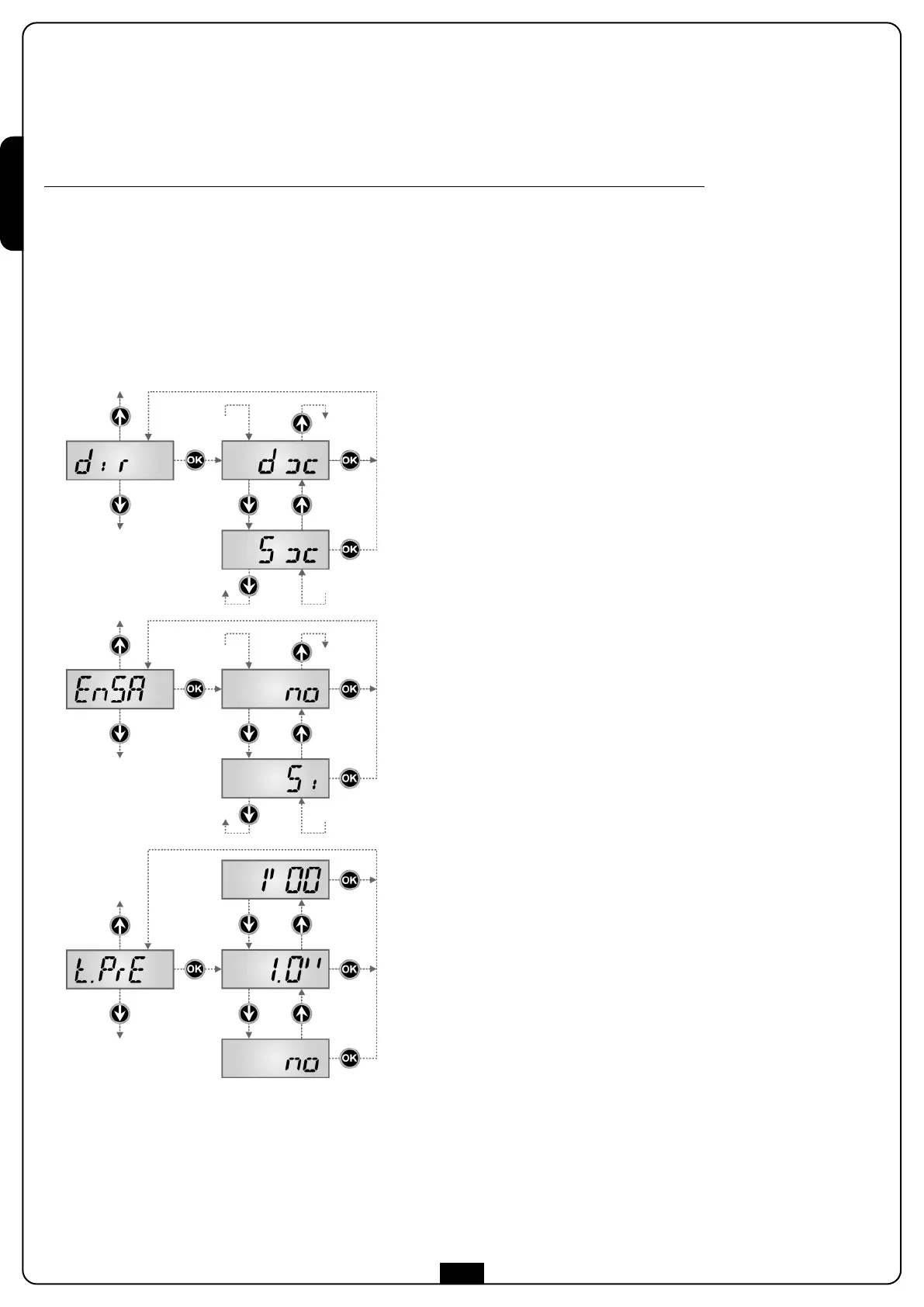
Gate Direction
This menu allows to invert the opening direction of the gate without
swapping motor wires and limit switch ones.
dx the gate opens rightwards
Sx the gate opens leftwards
m WARNING: “opening direction of gate” means the direction
you see from the inside.
Enabling Energy Saving
If this function is enabled, the control unit enters ENERGY SAVING mode
in accordance with the description in the dedicated section 4.1.
Si Function enabled
no Function not enabled
Pre-blinking time
Before any gate movement, blinker will be activated for t.PrE time, to
warn about the incoming motion.
13 - PROGRAMMING THE CONTROL UNIT
The configuration menu -PrG consists in a list of configurable items; the display shows the selected item.
By pressing
i
, you will pass to the next item; by pressing
h
, you will return to the previous item.
By pressing OK, you can view the current value of selected item and possibly change it.
The last menu item (FinE ) allows storing the carried out changes and going back to the control unit normal operation.
You must exit from programming mode through this menu item if you do not want to lose your configuration
.
m WARNING: in case no operation is carried out for more than one minute, the control unit exits from the programming
mode without saving any of your setups and changes, which will get lost.
B
y holding down the
i
o
r
h
k
eys, configuration menu items will scroll fast, until item FinE is viewed.
In this way, you can quickly reach either the top or bottom of the list.


 To Next Page