-12-
Filling the Clean Water Tank
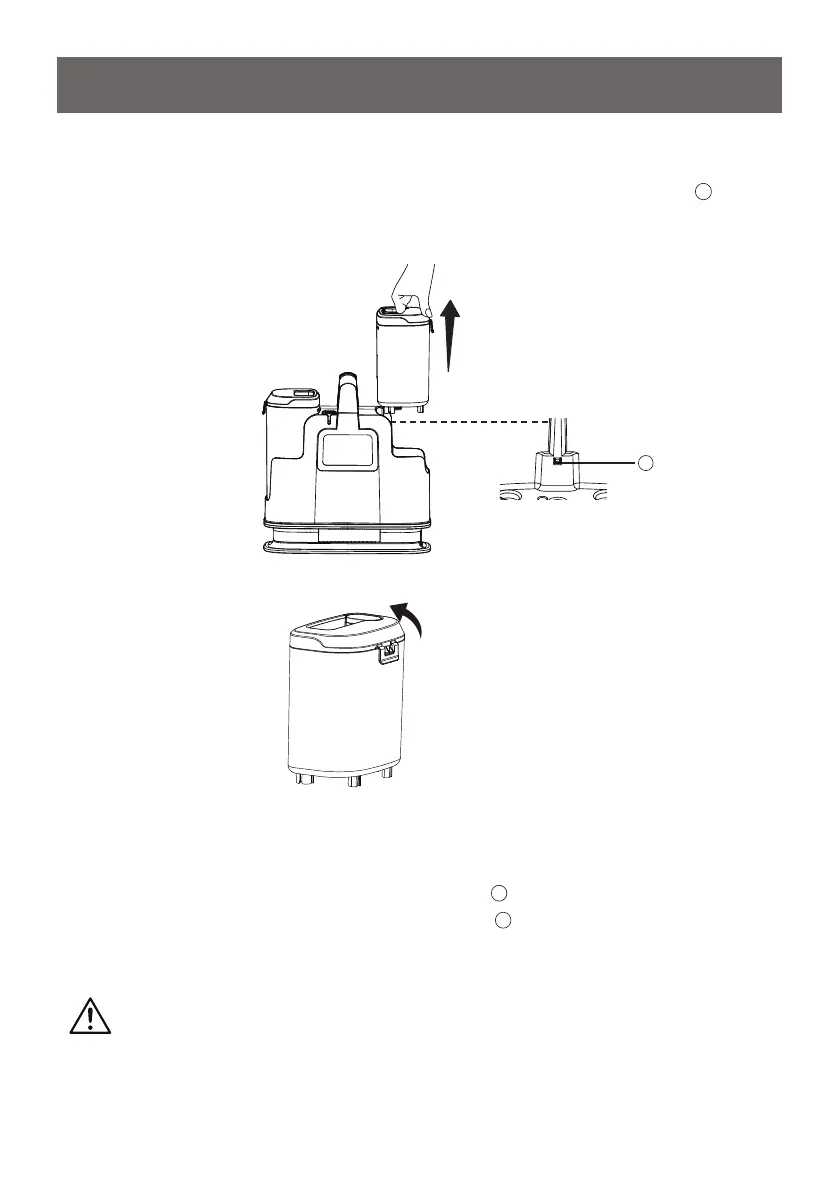
1. Lift up the clean water tank from the side of the unit. A security latch (
1
) is
positioned to keep the clean water tank in position to avoid unintentional
release. The latch will automatically release when the tank is pulled upwards.
2. Remove the clean water tank cover by undoing the clean water tank cover
release.
OPERATING INSTRUCTIONS
3. Fill the tank with warm water (Max 104°F (40°C)) and solution. Ensure the
correct proportion of water and cleaning solution is used by referring to the
solution label.
SMALL CLEANING AREA - 0.8L/0.2G Liquid (
2
)
LARGE CLEANING AREA - 1.6L/0.4G Liquid (
3
)
Do not exceed lling the clean water tank over the maximum ll line indicated
on the clean water tank.
CAUTION
Do not ll with water above 104°F (40°C).
1



 To Next Page