EasyManua.ls Logo

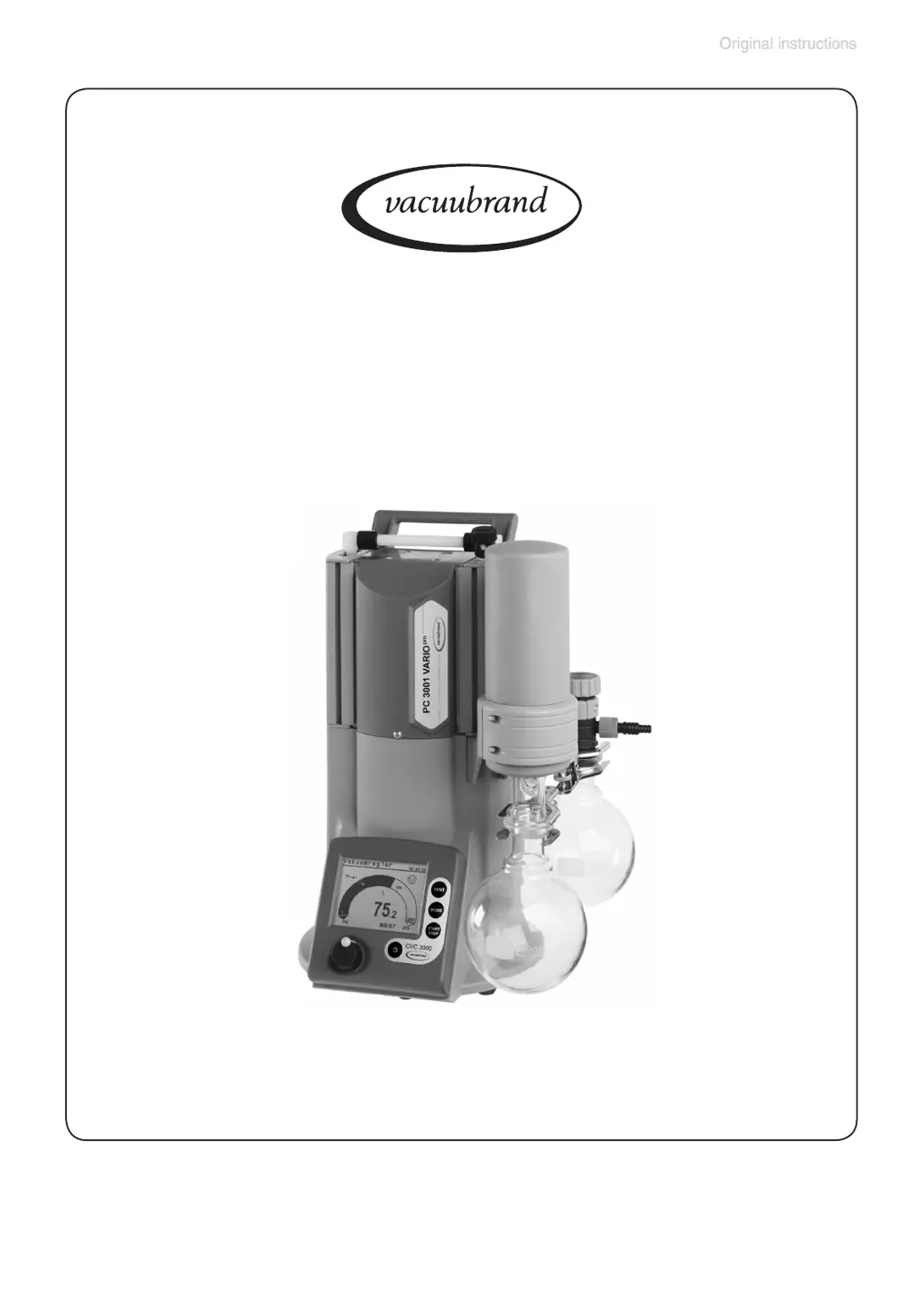
vacuubrand PC 3001 VARIO PRO - User Manual

vacuubrand PC 3001 VARIO PRO
121 pages
Print Icon
To Next Page IconTo Next Page
Loading...
page 1 of 121
Chemistry pumping unit with speed control
Instructions for use
Technology for Vacuum Systems
PC 3001 VARIO
pro
PC 3001 TE VARIO
pro
PC 3001 VARIO
pro
IK
PC 3001 VARIO
pro
EK Peltronic
Part I of II
Part I
Part I:
Safety information -
Technical data -
Use and operation

Table of Contents

Questions and Answers

  • P
    Phillip NelsonAug 20, 2025
    What to do if digital pressure reading is flashing '0.0' on vacuubrand Vacuum Cleaner?
    • K
      Kimberly RossAug 20, 2025
      If the digital pressure reading on your vacuubrand Vacuum Cleaner is flashing and the display shows '0.0', it indicates that the pressure transducer may not be correctly adjusted under vacuum. To resolve this, adjust the CVC 3000 correctly.
  • E
    Erik DelgadoAug 22, 2025
    Why vacuubrand Vacuum Cleaner pump does not start and warning triangle is flashing?
    • L
      Lauren GriffithAug 22, 2025
      If the vacuubrand Vacuum Cleaner pump does not start or stops immediately and the warning triangle and pump symbol are flashing, it could be due to the following reasons: * The pump has been exposed to condensate. Allow the pump to run for a few minutes at maximum speed with atmospheric pressure at the inlet. * There is overpressure in the outlet line. Remove any blockage in the line and open the valve.
  • T
    Tiffany HarveyAug 25, 2025
    What does it mean when warning triangle and black valve symbol are flashing on vacuubrand Vacuum Cleaner?
    • J
      Julie PattersonAug 25, 2025
      If the vacuubrand Vacuum Cleaner displays a warning triangle and a black valve symbol flashing with two blips, it means the external venting valve might be removed or defective. Connect the valve, replace it with a new one, or reconfigure the system without the valve.
  • B
    blackwellmariaAug 26, 2025
    How to fix vacuubrand Vacuum Cleaner controller not responding to keys?
    • S
      Stephanie StephensAug 26, 2025
      If your vacuubrand Vacuum Cleaner's controller does not respond when pressing keys (except ON/OFF) and a PC symbol is displayed, it means the controller is in remote mode. To fix this, control the CVC 3000 via the interface or switch off remote mode.
  • P
    petersenamyAug 27, 2025
    Why is pressure reading incorrect on vacuubrand Vacuum Cleaner?
    • K
      Kathryn SimpsonAug 28, 2025
      If your vacuubrand Vacuum Cleaner's pressure reading is incorrect, it could be due to the following reasons: * The pressure transducer is decalibrated. Readjust the CVC 3000. * There is humidity in the measurement chamber. Let the pressure transducer dry by pumping, and readjust if necessary. Determine and eliminate the cause of the humidity. * The pressure transducer is contaminated. Refer to the section on cleaning the pressure transducer.
  • R
    rickysotoAug 29, 2025
    How to troubleshoot no display on vacuubrand Vacuum Cleaner?
    • T
      Thomas RowlandAug 29, 2025
      If you are experiencing no display on your vacuubrand Vacuum Cleaner, it could be due to the following reasons: * The electrical power cord is not plugged in, or there is an electrical supply failure. Plug in the power cord and check the fuse. * The controller CVC 3000 or pumping unit is switched off. Switch on the controller and/or pumping unit. * The VACUU • BUS cable between the pump and controller is not plugged in at the controller. Plug in the VACUU • BUS cable at the CVC 3000 controller.
  • N
    nbrownAug 31, 2025
    What does one blip mean on vacuubrand Vacuum Cleaner?
    • C
      christopherbeardAug 31, 2025
      If the digital pressure reading on your vacuubrand Vacuum Cleaner is flashing with one blip, it indicates overpressure at the pressure transducer, with pressure exceeding 795 Torr (1060 mbar). Release the pressure immediately due to the risk of bursting.
  • K
    keithramirezSep 2, 2025
    Why vacuubrand Vacuum Cleaner pump does not achieve ultimate vacuum?
    • R
      Rachel ConnerSep 2, 2025
      If your vacuubrand Vacuum Cleaner's pump does not achieve its ultimate vacuum or usual pumping speed, several factors could be responsible: * Deposits have formed inside the pump. Clean and inspect the pump heads. * Diaphragms or valves are damaged. Replace the diaphragms and/or valves. * Outgassing substances or vapor are generated in the process. Check the process parameters. * Pressure is below 'Minimum' in Auto mode. Change the switch off pressure ('Minimum') if necessary. * The pump is too hot. Allow the pump to cool down and determine and eliminate the cause of overheating.
  • S
    Sarah SheppardSep 4, 2025
    Why does display disappear on vacuubrand Vacuum Cleaner?
    • M
      Maria HernandezSep 4, 2025
      If the display disappears on your vacuubrand Vacuum Cleaner, it could be due to the following reasons: * Too much load is connected (e.g., valves). Check the current draw of the connected devices. * There is a short circuit at connected valves. Replace the valves. * There is a short circuit at the RS 232 plug. Check the plug and cable.
  • G
    Gabriela CoxSep 6, 2025
    What does flashing clock symbol mean on vacuubrand Vacuum Cleaner?
    • K
      Kellie ObrienSep 6, 2025
      If the clock symbol is flashing on your vacuubrand Vacuum Cleaner, it means the preselected process time is over. Confirm this by pressing the START/STOP key.

Summary

Safety Information!

Important Information!

Critical instructions regarding manual handling, accessibility, and equipment modification.

General Information

Intended Use

Defines the proper and intended applications of the vacuum pump and system components.

Setting Up and Installing the Equipment

Instructions for the correct and safe installation and setup of the vacuum unit.

Ambient Conditions

Operating Conditions

Safety During Operation

Maintenance and Repair

Equipment Marking (ATEX)

Explanation of ATEX equipment marking, classification, and operational restrictions.

Technical Data

General Technical Data Valid for All Pumping Units

Provides key performance metrics, electrical data, and physical properties applicable to all units.

Use and Operation

Installing a Pump in a Vacuum System

Instructions for connecting the pump to a vacuum system, including safety precautions.

Menu Guide

Pump Down Function

Vac Control Function

Auto Mode

Program Function

VACUULAN Function

Application Examples

Vacuum for Filtration and Suction

Guidance on using Pump down or Vac control functions for filtration processes.

Part II

Readjustment of CVC 3000

Procedures for adjusting the pressure transducer at atmospheric pressure and under vacuum.

Interface Parameters

Details on configuring the controller's serial interface (RS-232C) for communication.

Accessories

List of available accessories, including sensors, cables, and condensers, with part numbers.

Readjustment of CVC 3000

Adjustment at Atmospheric Pressure

Steps to adjust the pressure transducer reading to the current atmospheric pressure.

Adjustment Under Vacuum

Procedure for adjusting the pressure transducer to zero under vacuum conditions.

Adjustment at a Reference Pressure

Method for adjusting the transducer using a known reference pressure.

Calibration in the Factory

Cleaning the Pressure Transducer

Interface Parameters

Setting of the Interface

Configuring Baud rate, parity, handshake, and remote settings for the RS-232 interface.

Read Commands CVC 2000

Write Commands CVC 2000

Read Commands CVC 3000

Write Commands CVC 3000

Accessories

Troubleshooting

Replacing Diaphragms and Valves

Cleaning and Inspecting the Pump Heads

Procedure for disassembling and inspecting pump head components and condensers.

Replacing the Diaphragm

Step-by-step guide for replacing the diaphragm, including proper torque and part alignment.

Cleaning and Replacing Components

Repair - Maintenance - Return - Calibration

Warranty

Health and Safety Clearance Form

EC Declaration of Conformity of the Machinery

China RoHS

vacuubrand PC 3001 VARIO PRO Specifications

General IconGeneral
Pumping speed30 l/min
Permissible ambient temperature10 – 40 °C
Noise level48 dB
Voltage230 V
Frequency50/60 Hz

Related product manuals