Tare individual tank load cells
• It is important to tare your load cells prior to putting any product into the tank for the first time.
• Subsequent tares should be performed in between product changes at the very least.
• Important things to remember are:
• Ensure that there is nothing on top of tanks that would affect weight reading.
• Ensure ladder going to tanks 2, 3 and 4 does not have anything on it, as it is attached to tank 2.
• Ensure that tanks are completely empty prior to tare. Any product left in tank when a tare is completed
could result in negative weight (0 weight) values when seeding.
• The primary function of the load cells is to allow the operator to see the level of product in the tank and
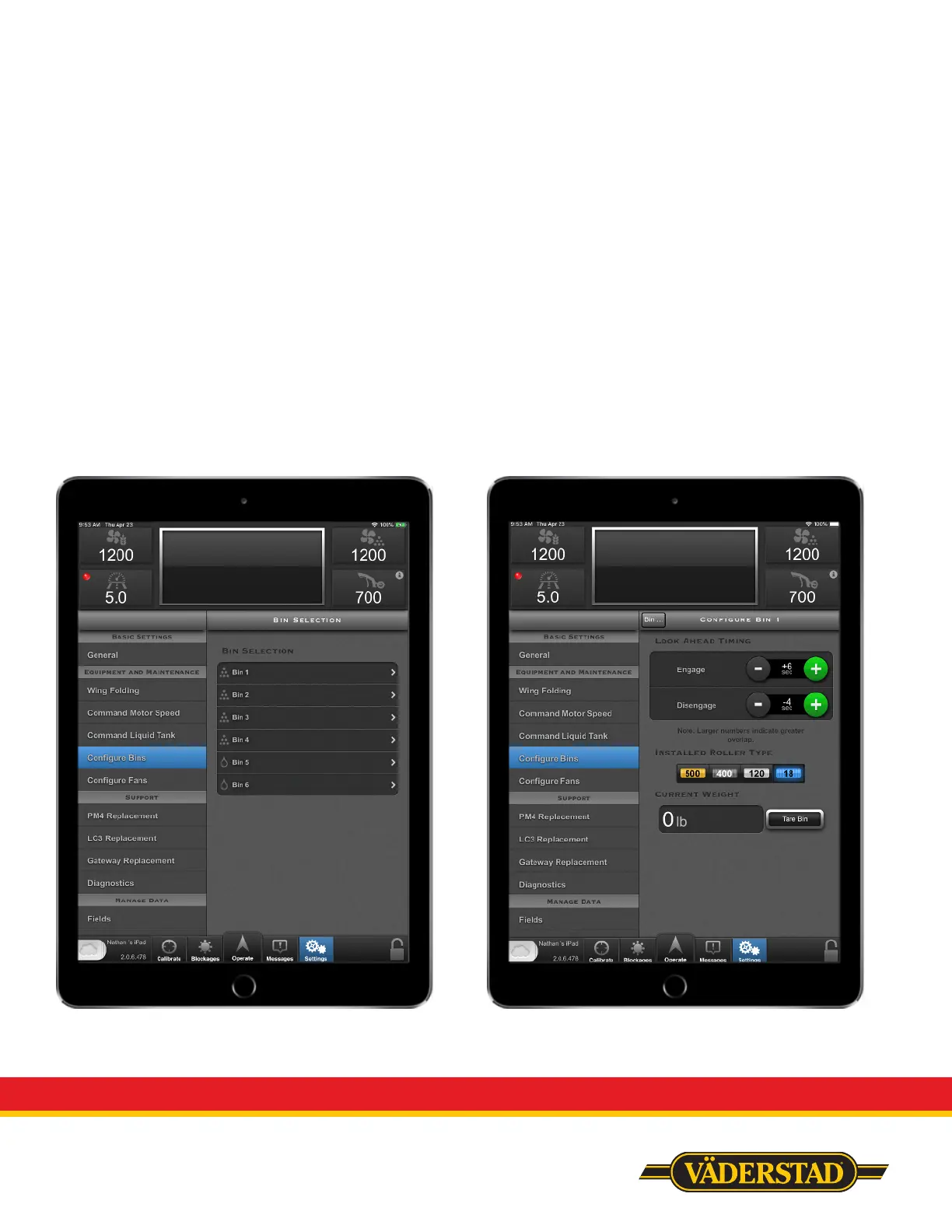
enable functions such as in-field calibration and fit-to-field product rate adjustment. To tare the tanks, go
to settings and select the “Configure Bins” tab. From here select the tank you wish to tare and select the
“Tare Bin” button when ready. As a side note, you can also view individual bin weights in this area.
Congure Bins Tare Bin Button



 To Next Page