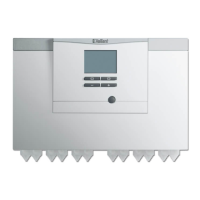
What to do if Vaillant Control Panel displays a boiler fault?
N
Natalie BuchananJul 28, 2025
If the Vaillant Control Panel displays a boiler fault (e.g., F.33), first try resetting the boiler by selecting 'Reset' and then 'Yes'. If the fault message continues to appear, it is recommended to inform a qualified technician.
K
Kiara JohnsonAug 5, 2025
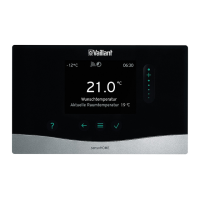
What to do if no changes can be made via the control elements on Vaillant sensoHOME VRT 380 Control Panel?
A
Andrew StephensonAug 5, 2025
If you are unable to make changes on the display of your Vaillant Control Panel, it may be due to a software error. To resolve this, you can try the following:
1. Press and hold the button on the top right of the system control for more than five seconds to force a restart.
2. Switch off the main switch on all heat generators for approximately one minute, and then switch them back on.
3. If the issue persists, it is advisable to contact a qualified technician.
A
Andrea GallagherAug 11, 2025
How to deactivate button lock on Vaillant sensoHOME VRT 380 Control Panel?
D
Donald FrankAug 11, 2025
If the Vaillant Control Panel display shows that the button lock is activated, preventing changes to settings, simply press the button on the top right of the system control for about one second. This should deactivate the button lock and allow you to adjust the settings.
R
Richard MartinAug 19, 2025
How to change the language on Vaillant sensoHOME VRT 380 Control Panel?
B
Brandon GibbsAug 19, 2025
If you do not understand the language set on your Vaillant Control Panel, here’s how to change it:
1. Press the button twice.
2. Select the last menu item (SETTINGS) and confirm by pressing the button.
3. Under SETTINGS, select the second menu item and confirm by pressing the button.
4. Choose the language you understand and confirm by pressing the button.


 To Next Page
 General