EasyManua.ls Logo

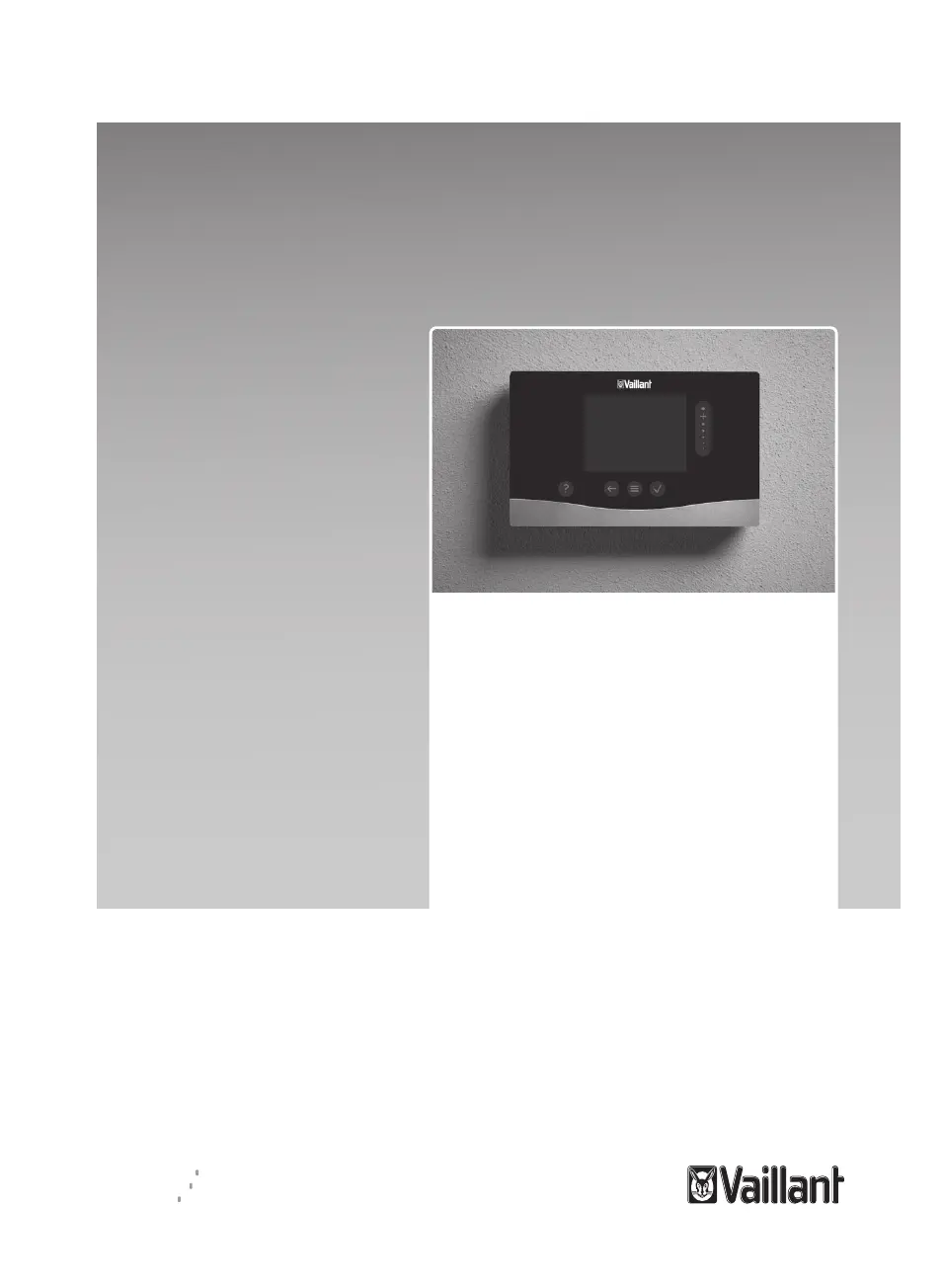
Vaillant sensoHOME VRT 380f - User Manual

Vaillant sensoHOME VRT 380f
108 pages
Print Icon
To Next Page IconTo Next Page
Loading...
en Operating and installation
instructions
es Manual de uso e
instalación
pt Instruções de uso e
instalação
sl Navodila za uporabo in
namestitev
int Country specifics
sensoHOME
VRT 380f
Publisher/manufacturer
Vaillant GmbH
Berghauser Str. 40 D-42859 Remscheid
Tel. +492191180 Fax +492191182810
info@vaillant.de www.vaillant.de

Table of Contents

Questions and Answers

  • S
    Suzanne AlvarezJul 28, 2025
    How to fix Vaillant Controller when no changes can be made on the display?
    • C
      Colton JonesJul 28, 2025
      If you are unable to make changes on the display of your Vaillant Controller, it might be due to a software error. You can try to resolve this by: 1. Pressing and holding the button on the top right of the control for more than five seconds to force a restart. 2. Switching off the mains switch on all heat generators for about 1 minute and then switching them back on.
  • J
    Joshua JohnsonAug 5, 2025
    How to change the language on my Vaillant sensoHOME VRT 380f?
    • A
      Amanda WongAug 5, 2025
      If you do not understand the language set on your Vaillant Controller, here’s how to change it: 1. Press the button twice. 2. Select the last menu item (SETTINGS) and confirm by pressing the button. 3. Under SETTINGS, select the second menu item and confirm by pressing the button. 4. Select the language that you understand and confirm by pressing the button.
  • J
    James JenningsAug 13, 2025
    What to do if my Vaillant Controller displays F. Boiler fault?
    • T
      Tammy LeeAug 13, 2025
      If your Vaillant Controller displays an 'F. Boiler fault' message along with a specific fault code, it indicates an issue with the boiler. To resolve this, reset the boiler by selecting 'Reset' and then 'Yes' on the controller.
  • C
    Crystal RoyAug 19, 2025
    Why is the display on my Vaillant sensoHOME VRT 380f dark?
    • D
      derek96Aug 19, 2025
      If the display on your Vaillant Controller remains dark, there are a couple of things you can try: * First, the batteries might be flat, so replace all of them. * If that doesn't work, it could be a software error. Try forcing a restart by pressing and holding the button on the top right of the control for more than five seconds. Alternatively, switch the mains switch on the heat generator that feeds the control off and back on again.

Summary

Safety

Action-Related Warnings

Details on warning symbols, signal words, and classifications of hazards.

Intended Use

Specifies the proper application and limitations of the product.

General Safety Information

Details risks from improper operation, qualifications, and batteries.

Safety and Regulations

Addresses risks like frost, unsuitable tools, and regulatory compliance.

Product Description

Frost Protection Function

Explains how the frost protection feature operates.

Temperature Definitions

Clarifies terms like desired, set-back, and flow temperatures.

Understanding Zones

Defines zones and provides examples of building division.

Time Periods Explained

Details how time periods are used for heating control.

Preventing Malfunctions

Advises on common issues and how to avoid them.

Setting the Heat Curve

Explains how to adjust heating performance based on outdoor temperature.

Display and Control Elements

Outlines the interface and buttons on the device.

Symbols Overview

Explains the icons displayed on the device.

Using the Control

Guidance on operating the sensoHOME control unit.

Operating and Display Functions

Details menu items, information display, and settings configuration.

Electrical Installation and Setup

Checking Scope of Delivery

Lists items included in the product package for installation.

Selecting Lines

Provides guidance on choosing appropriate cables and their specifications.

Installing the Radio Receiver Unit

Steps for mounting and connecting the radio receiver unit.

Installing the Control

Instructions for mounting and initial setup of the control unit.

Start-up

Prerequisites for Startup

Outlines conditions required before initiating the startup process.

Running Installation Assistants

Guides the user through the automated setup process.

Fault and Maintenance Messages

Fault Message

Information on identifying and interpreting system faults.

Maintenance Message

Details regarding system maintenance alerts and indicators.

Information About the Product

Data Plate

Location and meaning of the product's data plate information.

Serial Number

How to find and identify the product's serial number.

Guarantee and Customer Service

Details on product warranty and how to contact support.

Technical Data

Product Data EU Ordinances

Technical specifications related to EU energy efficiency regulations.

Control and Receiver Specifications

Comprehensive specifications for the control and receiver units.

Appendix

Troubleshooting and Maintenance Messages (A)

Lists common issues, causes, and solutions for faults and maintenance.

Troubleshooting and Maintenance Messages (B)

Further details on troubleshooting specific messages and components.

Country Specifics

ES, España (Spain)

Warranty, official technical service, and contact details for Spain.

GB, Great Britain

Warranty and customer service contact information for the UK.

IE, Ireland

Warranty and customer service contact information for Ireland.

PT, Portugal

Warranty and customer support details for Portugal.

SI, Slovenija

Warranty and service information for Slovenia.

Vaillant sensoHOME VRT 380f Specifications

General IconGeneral
BrandVaillant
ModelsensoHOME VRT 380f
CategoryController
LanguageEnglish

Related product manuals