20 EN
Using the appliance
B
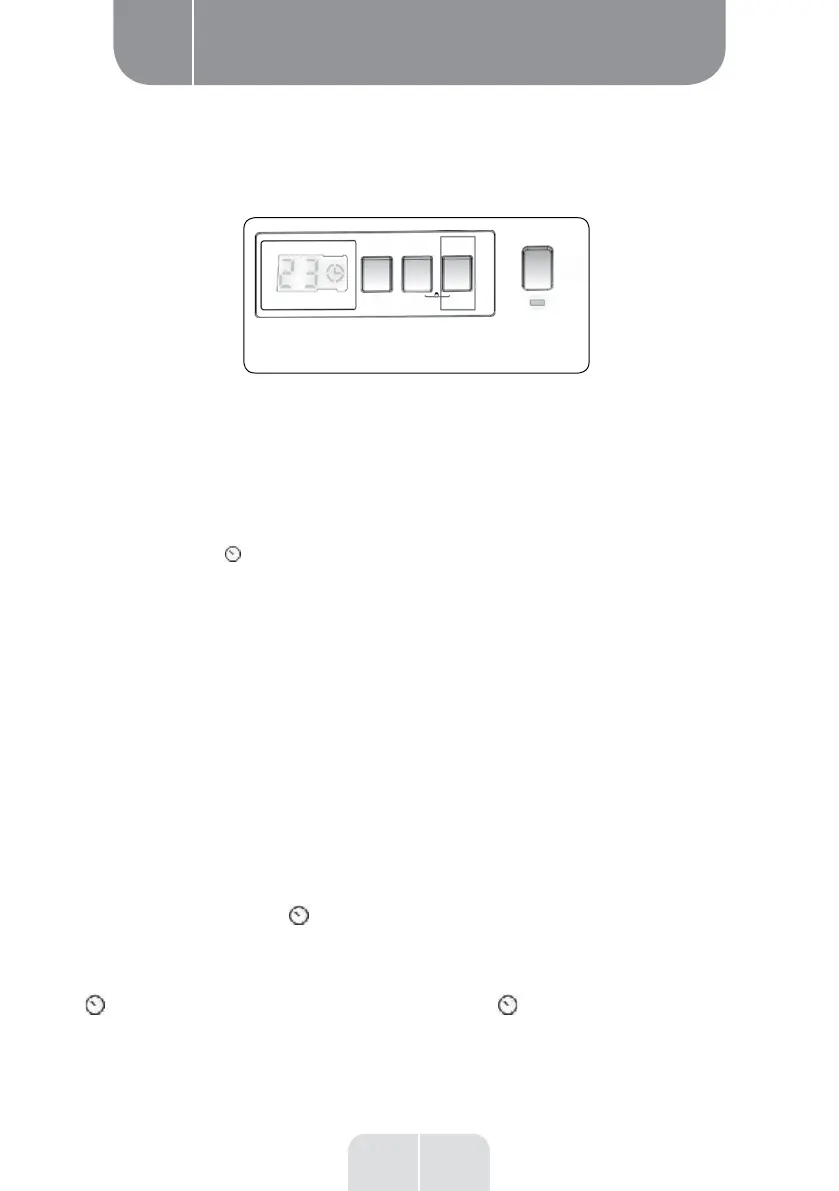
You can use this auxiliary function to delay the start of the wash cycle by 1 to 23 hours.
To use the delay start function:
• Press the delay start button once.
• "01h" is displayed.
lights up on the electronic display.
• Press the delay start button until you reach the number of hours after which you want the
machine to start the wash cycle.
• If you go beyond the number of hours you wanted to choose, keep pressing the delay start
button until you reach this number again.
• To use the delay start function, you must press the Start/Pause button to start the machine.
• To cancel the delay start:
- If you have pressed the Start/Pause button to start the machine, you only have to press the delay
start button once to make the symbol disappear from the electronic display.
- If you have not pressed the Start/Pause button, press the delay start button continuously until
the
symbol disappears from the electronic display. The lights up on the electronic display.
• Delay start



 To Next Page
 Loading...