4
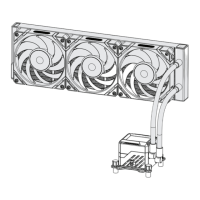
Step 2: Install Screws
Install INTEL/AMD bolts to the backplate.
*The larger end of the screw faces down.
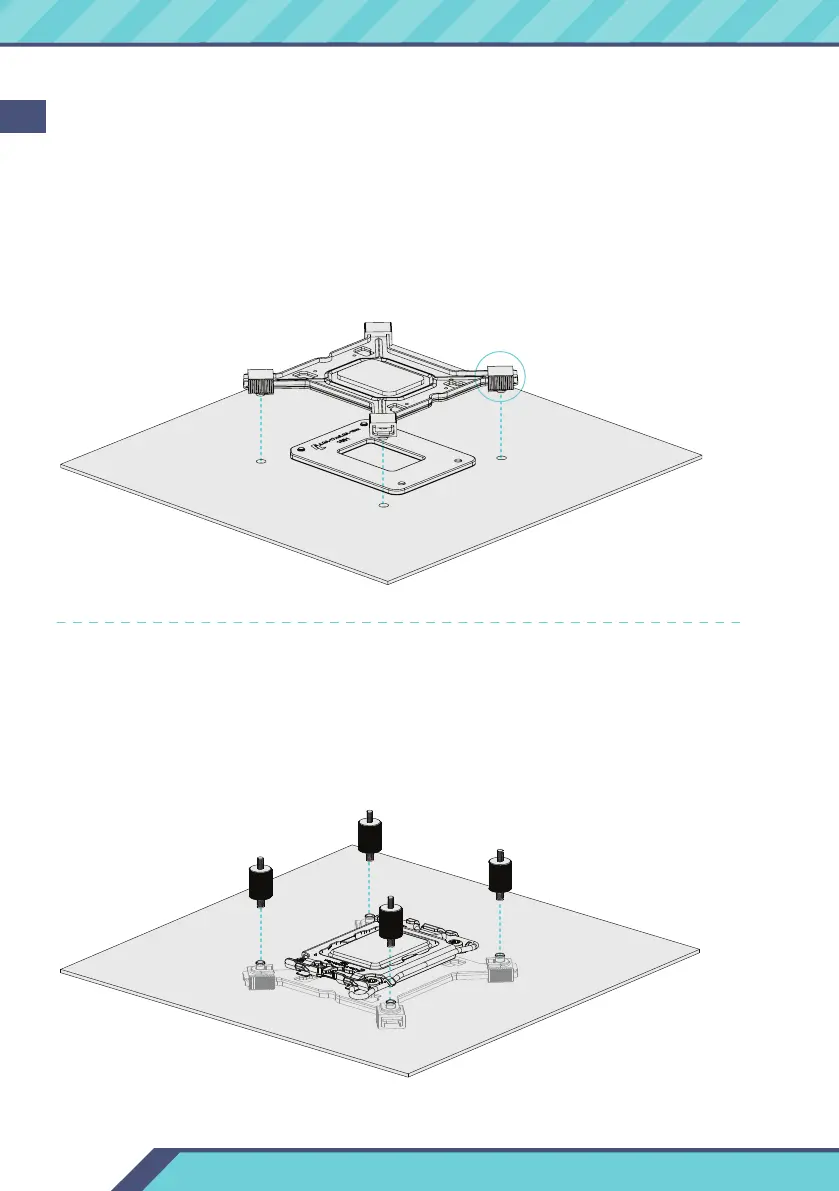
Step 1: Install bracket
1. Align the backplate to the corresponding platform holes.
2. Install the backplate onto the back of the motherboard.
* You may slide it to adjust for alignment with the corresponding platform holes.
* Use the inner mounting hole position for 1200
(115X) and the outer mounting hole position for 1700.
EN


 To Next Page