EasyManua.ls Logo

Valore AC192 - User Manual

Valore AC192
4 pages
Print Icon
To Next Page IconTo Next Page
Loading...
Thank you for purchasing the Valore Wireless Transmitter (AC192).
Important: Please read the user manual thoroughly before using the product.
Features:
• Convenient one-touch pairing for dual device connection
• Travel-friendly Bluetooth stereo transmitter with airplane adapter for on-the-go music
streaming
• Clear OLED display for easy navigation and settings
• Immerse yourself in high-resolution audio and video with Qualcomm® aptX™
technology
Specifications: Package Contents:
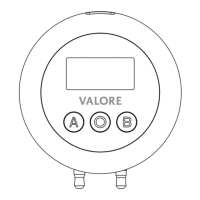
Valore
Wireless Transmitter
• Wireless range: Up to 10m
• Battery capacity: 200mAh
• Battery life: Up to 10 hours
• Charging time: Approximately 1.5 hours
• Codec: SBC, aptX, aptX Low Latency, aptX HD
• Modulation: GFSK, π/4 DQPSK, 8DPSK
• Sensitivity: -90dBm@GFSK
• Power input: 5V/1A
• Frequency: 2.402-2.480GHz
• Wireless Transmitter x 1
• USB-C Charging Cable x 1
• Audio Adapter Cable x 1
Question and Answer IconNeed help?

Do you have a question about the Valore AC192 and is the answer not in the manual?

Summary

Product Features and Specifications

Product Features Overview

Highlights key capabilities like one-touch pairing, Bluetooth stereo, OLED display, and aptX technology for enhanced audio.

Technical Specifications Details

Lists technical attributes including wireless range, battery life, charging time, codecs, modulation, sensitivity, power, and frequency.

Package Contents List

Details the items included in the product package, such as the transmitter, charging cable, and audio adapter cable.

Device Operation Guide

Pairing Bluetooth Devices

Step-by-step instructions on how to power on, enter pairing mode, and connect Bluetooth devices.

Unpairing and Managing Devices

Instructions for deleting history of paired devices by pressing buttons simultaneously.

Reconnecting and Disconnecting

Guidance on how to re-establish or terminate connections with paired devices using button presses.

Using the Audio Adapter Cable

Information on utilizing the audio adapter cable for devices with a 3.5mm port.

Support and Safety Information

Technical Support and Warranty

Provides contact details for technical assistance and website for warranty registration.

Product Cautions and Warnings

Important safety guidelines for product usage, storage, and handling to prevent damage or hazards.

Disclaimer and Trademarks

Legal notices regarding copyright, trademarks, and unauthorized use of product materials.

Valore AC192 Specifications

General IconGeneral
BrandValore
ModelAC192
CategoryTransmitter
LanguageEnglish