INSTRUCTIONS - FILL LIGHT
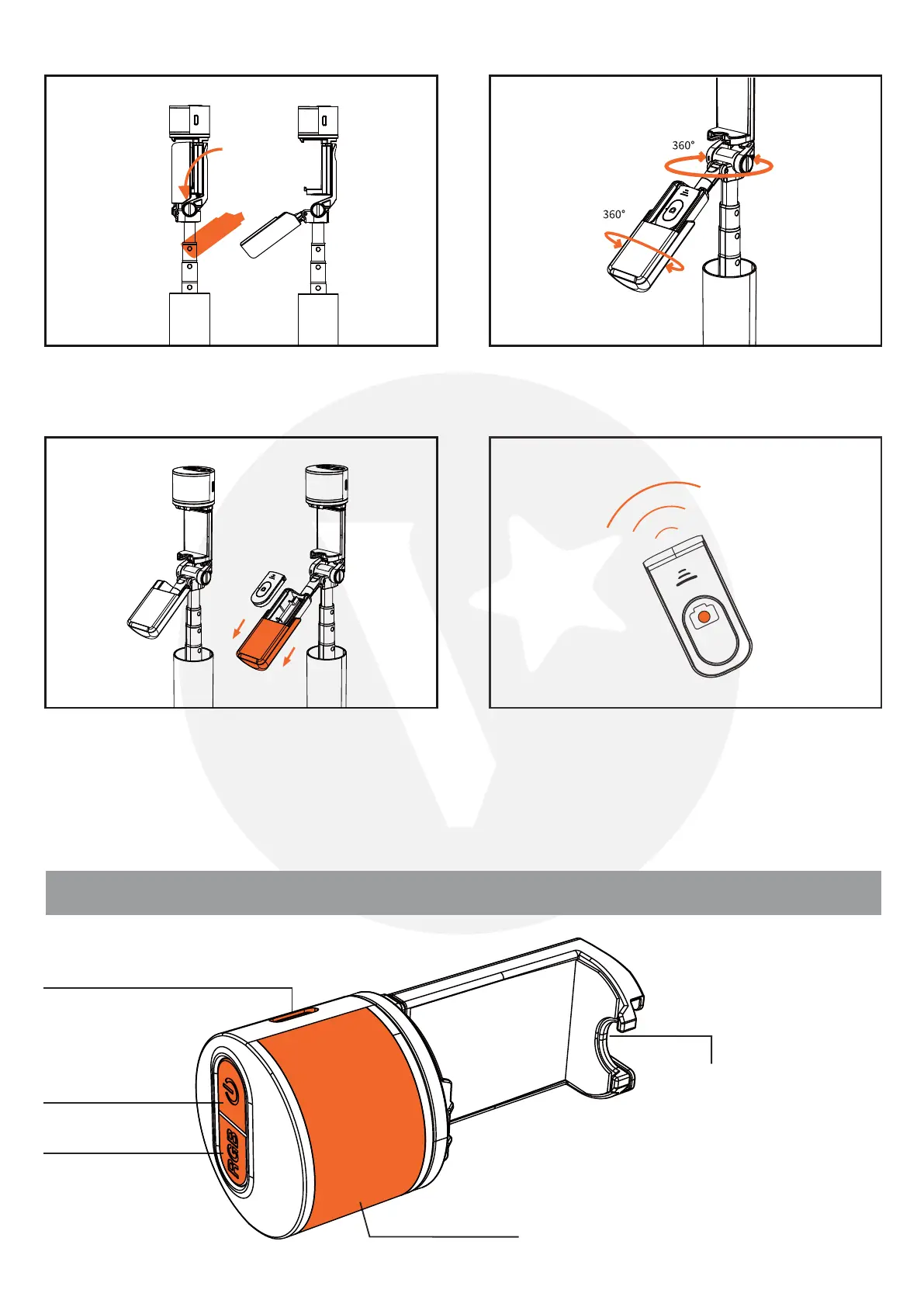
Pull down the auxiliary handle for improved
stability.
Adjust the auxiliary handle for 360° shooting.
Slide open the auxiliary handle to retrieve the
remote control.
Press and hold the button for 3 sec. After the
blue light starts blinking, use your device to
search for 'ADYSS' and connect. The blue light
will always be on upon successful connection.
USB-C charging port
Power on/off
Cold shoe extension
Fill light
RGB



 To Next Page