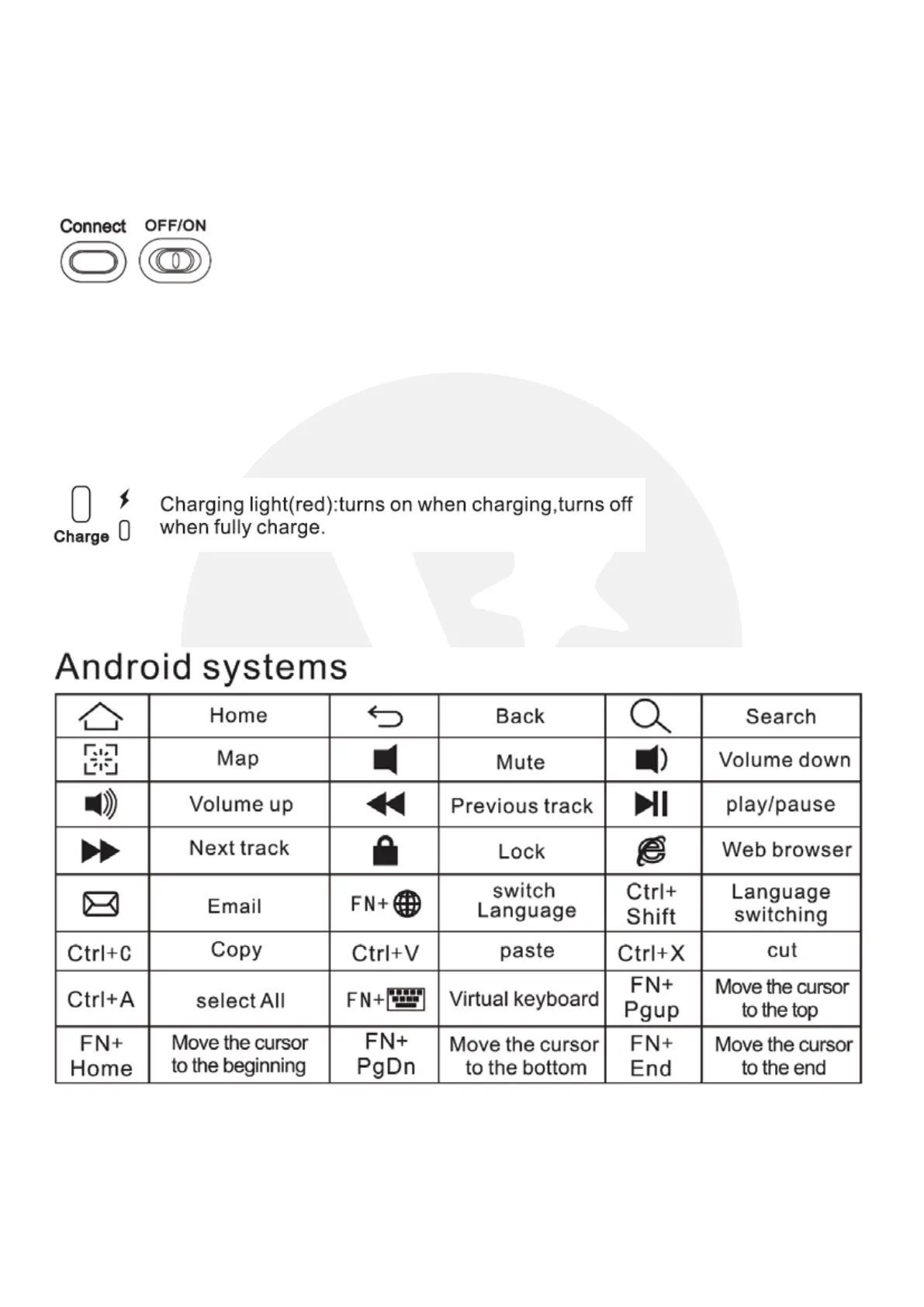
START USING WIRELESS KEYBOARD
1) How to connect
Switch on Bluetooth function on your device.
Switch on the wireless keyboard by sliding the On/Off switch to On.
Press the Bluetooth connection button on the wireless keyboard.
Select ‘Valore BTK01’ on your device’s Bluetooth list.
Input pairing code displayed on your device and press ‘Enter’ on the wireless keyboard.
2) Charging your wireless keyboard
Plug in the Micro USB cable provided to the charging port located on the right side of the
wireless keyboard.
3) Keyboard functions


 To Next Page