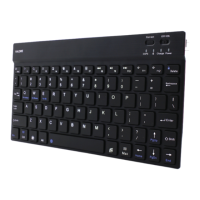
START USING WIRELESS KEYBOARD
1) Install batteries
a) Remove cover from battery compartment
b) Insert batteries as shown inside
c) Replace cover
2) How to connect
a) Right-click on the Bluetooth icon in the windows taskbar, select “Add a Bluetooth device”
b) Tick the “My device is setup and ready to be found” then click “Next”
c) Press and hold “ESC + K” on the keyboard for about 5 seconds
d) Select the keyboard (AC66) from the list of found devices and click “Next” to continue
e) Click “Finish”
3) Keyboard functions
System
Keys
Esc Main Page Main Page Esc
F1 Clip Clip F1
F2 Copy Copy F2
F3 Stick Stick F3
F4
Language shift Language shift F4
F5 Search Search F5
F6 Previous Track Previous Track F6
F7 Play/Paus e Play/Paus e F7
F8 Next Track Next Track F8
F9 Mute Mute F9
F10 Voume Down Voume Down F10
F11 Volume Up Volume Up F11
F12 Lock screen Lock screen F12
FN+E(IOS) FN+Q(Android) FN+W(Windows)



 To Next Page