14
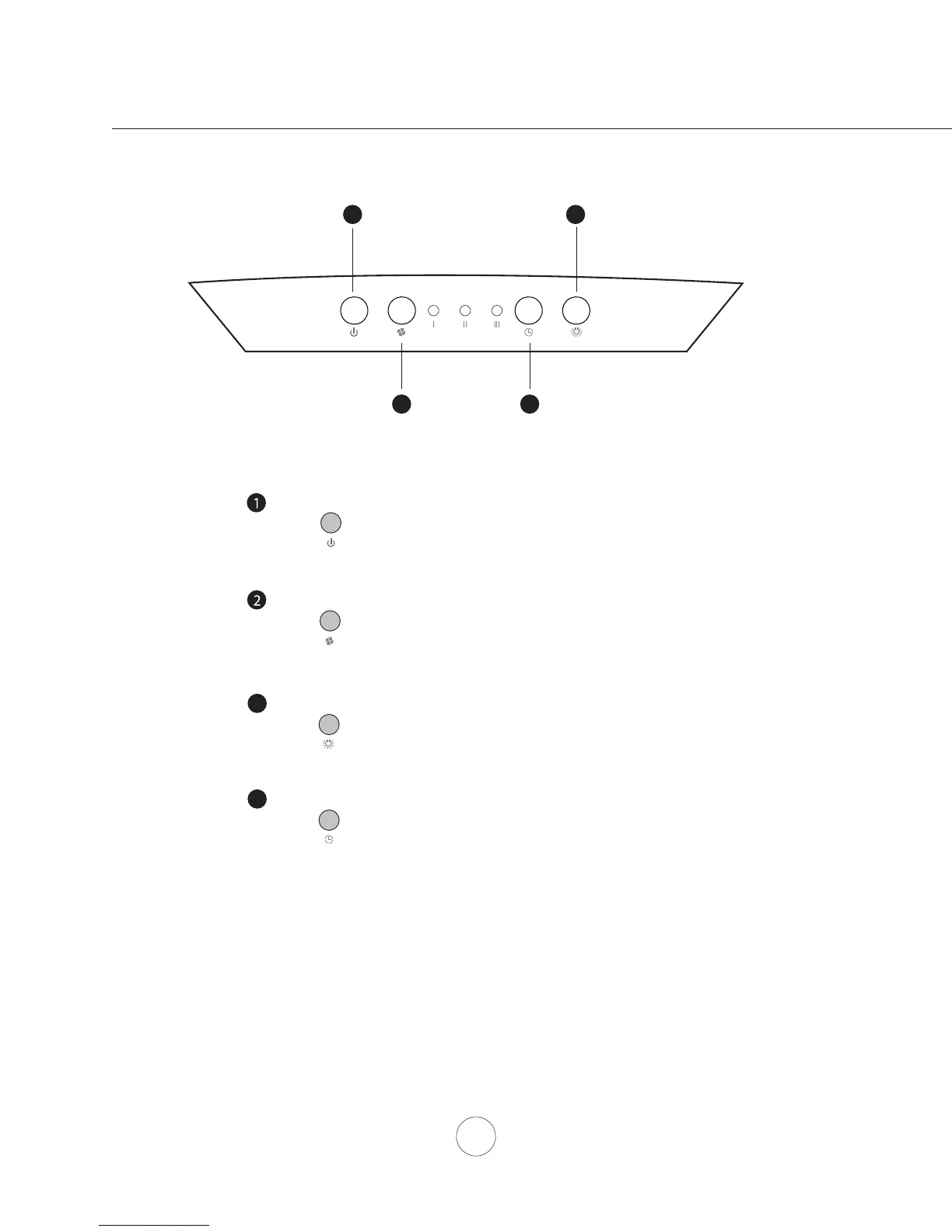
Blower Speed Selection
Press to cycle through blowers speeds I, II and III
Blower On/Off
1
Lights Bright/Dim/Off
3
3
Lights Bright/Dim/Off
Blower Speed Selection
2
Delay Off Timer
4
Blower On/Off
Press to turn blower on and off. If lights are on they will also
switch off when this button is pressed.
Press to cycle through light levels Bright, Dim and Off
4
Delay Off Timer
Press to enable delay off timer, blower will shut down after 5 minutes
Features & Controls - Electronic Controls, VPL



 To Next Page