EasyManua.ls Logo

Valore VHA-21 - User Manual

Valore VHA-21
9 pages
Print Icon
To Next Page IconTo Next Page
Loading...
Valore Smart Watch (VHA-21)
Thank you for purchasing the Valore Smart Watch (VHA-21).
• Blood pressure monitor
• Heart rate monitor
• Customisable watch face
• Step, calorie & distance counter
• Sleep monitoring & exercise mode
• Call & alarm clock reminder
• Incoming call, text & app notification display^
• Multi-sports tracking, multi-watch face selection
• Female health assistant, weather information, sedentary reminder, hydration reminder
^Please turn on all notification functions from mobile settings for notifications to show.
Important: Please read the user manual thorou
g
hly before using your Smart Watch.
Specifications:
Package Contents:
• Battery type: 90mAh Li-polymer
• Working time: Last up to 5 days
• Standby time: Up to 15 days
• Charging time: Approximately 2 hours
• Support: Android 4.4 and above
iOS 8.2 and above
• Colour display screen size: 0.96"
• Language: Support multiple languages
UNDERSTANDING THE PRODUCT
• Smart watch x 1
• Charging cable
• Additional blue strap
• Additional wine red strap
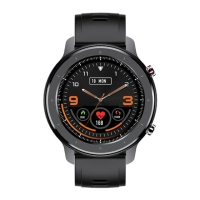
Power button
Watch face
Strap
Charging port (back)
Question and Answer IconNeed help?

Do you have a question about the Valore VHA-21 and is the answer not in the manual?

Summary

Product Overview and Specifications

Product Features

Lists key functionalities like health monitoring, custom watch faces, and notifications.

Specifications

Details battery type, working/standby time, charging time, and compatibility.

Package Contents

Lists items included with the smart watch purchase.

Getting Started with Your Smart Watch

App Download and Installation

Instructions for downloading and installing the AdorHealth mobile application.

Device Charging and Activation

Guidance on charging the smart watch before first use.

Bluetooth Connection Procedure

Steps for connecting the watch to your smartphone via Bluetooth through the app.

Operating the Smart Watch

Basic Operation Guide

Explains how to navigate through screens and switch dial styles on the watch.

Using Watch Functions

Details on how to use specific watch features and modes.

Smart Watch Features and Functions

Sports Modes and Tracking

Information on selecting and using various sports tracking modes and data display.

Sleep Statistics Analysis

How to enable sleep detection and view sleep data within the app.

Health Monitoring Features

Details on heart rate, blood pressure, and oxygen monitoring with alarm settings.

Female Health Assistant

Guidance on using the menstrual cycle prediction feature.

Additional Watch Capabilities

Mindfulness Decompression

Instructions for using breathing exercises to relieve stress.

Weather Information Display

How to view current weather, air quality, and forecasts.

Alarm and Stopwatch Functions

Setting alarms and using the stopwatch feature on the watch.

Music Playback Control

How to control music playback from your connected smartphone.

Connectivity and Customization

Find My Phone Feature

Using the watch to locate a misplaced mobile phone.

Message and Notification Push

Receiving and displaying notifications from mobile apps on the watch.

Remote Camera Control

Using the watch as a remote shutter for the smartphone camera.

Watch Settings and Reminders

Adjusting watch settings like brightness and setting drinking reminders.

Advanced Watch Settings and Maintenance

Sedentary Reminder Setup

Configuring reminders to encourage movement and avoid prolonged inactivity.

Customizing Watch Dials

Instructions for changing and customizing watch face designs.

Firmware Update (OTA)

Guidance on updating the watch's firmware using the mobile app.

Troubleshooting Common Issues

Power Bank Charging Problems

Solutions for issues related to the power bank not charging a mobile device.

Power Bank Draining Quickly

Addressing rapid battery drain on the power bank.

Charging Indicator Issues

Troubleshooting problems with the charging indicator not flashing.

Support, Warranty, and Safety

Technical Support Contact

Information on how to contact technical support via email.

Warranty Registration

Details on how to register your product for warranty.

Important Cautions and Warnings

Safety precautions regarding product use, handling, and environmental factors.

Disclaimer and Trademarks

Legal information concerning copyrights, trademarks, and usage rights.

Overview

The Valore Smart Watch (VHA-21) is a versatile wearable device designed to monitor various health metrics and provide convenient smart features. It serves as a personal health assistant, activity tracker, and notification hub, all integrated into a stylish watch form factor.

Function Description:

The Valore Smart Watch offers a comprehensive suite of functionalities:

  • Health Monitoring: It includes a blood pressure monitor and heart rate monitor, allowing users to keep track of these vital signs.
  • Activity Tracking: The watch features a step, calorie, and distance counter, along with sleep monitoring and an exercise mode to help users stay active and understand their sleep patterns.
  • Smart Notifications: It displays incoming calls, text messages, and app notifications, ensuring users stay connected without needing to check their phone constantly. Users need to enable notification functions in their mobile settings for this feature to work.
  • Personalization: The watch offers a customisable watch face and multi-watch face selection, allowing users to personalize its appearance.
  • Reminders and Information: It provides call and alarm clock reminders, a female health assistant, weather information, sedentary reminders, and hydration reminders to support overall well-being.
  • Sports Modes: Users can choose from 18 sports modes via the mobile app, with up to 9 displayable on the watch. When a movement is started, the watch synchronously displays corresponding data such as heart rate, heat, and speed allocation. Users can also pause or stop the movement.
  • Sports Record: The sports ring tracks and records steps, distance, and calories, providing a comprehensive overview of physical activity.
  • Sleep Statistics: By enabling sleep detection through the app, the watch automatically records sleep data, including total sleep time, deep sleep, and light sleep time. Detailed analysis and data records are available in the app.
  • Blood Oxygen Monitoring: In addition to heart rate and blood pressure, the watch can independently detect blood oxygen data through the wrist strap. An alarm for excessively high heart rate can be set in the app, which will vibrate when the threshold is exceeded.
  • Female Health Assistant: By activating menstrual prediction in the mobile app, the watch helps track menstrual cycles and reminds users of the days from the start of their cycle.
  • Mindfulness Decompression: It offers breathing exercises to help release stress effectively for two minutes, five times a day. The mobile app can be used to start a mindfulness decompression reminder period.
  • Weather Information: The weather page displays current weather, air quality, minimum and maximum temperatures, and allows users to preview the weather for the next three days.
  • Alarm: Users can add and set alarm times through the app, which then synchronizes with the watch to display and manage alarms.
  • Stopwatch: A built-in stopwatch allows users to time, start, or reset events.
  • Music Control: The watch can control music playback, including switching songs, playing/pausing, and adjusting volume.
  • Find Phone: A dedicated function allows users to call their mobile phone by clicking an icon on the watch.
  • Push Message: The watch receives and displays notifications from the phone. Users can open corresponding social applications through the app, and the watch message page can store up to 80 message records.
  • Camera Control: When connected to a mobile phone, the watch can act as a remote control for the phone's camera. Clicking on the watch's camera control page triggers the phone camera shutter. It also supports shaking the watch to take photos via the mobile app.
  • Settings: Watch settings allow users to adjust brightness, bright screen time, restore factory settings, restart the device, and view the application's QR code.
  • Drinking Reminder: Users can set drinking goals and times through the mobile app, and the wrist strap will remind them to drink water to meet their daily goal.
  • Sedentary Reminder: Enabling the sedentary reminder through the mobile app allows users to set a reminder period, prompting them to get up and move on time.
  • Dial Settings: Through the mobile app, users can replace massive dials or customize settings to edit photos and send them to the watch synchronously.
  • OTA Upgrade: The firmware can be updated via the mobile app.

Important Technical Specifications:

  • Battery Type: 90mAh Li-polymer
  • Working Time: Up to 5 days
  • Standby Time: Up to 15 days
  • Charging Time: Approximately 2 hours
  • Support: Android 4.4 and above, iOS 8.2 and above
  • Colour Display Screen Size: 0.96"
  • Language: Supports multiple languages

Package Contents:

  • Smart watch x 1
  • Charging cable
  • Additional blue strap
  • Additional wine red strap

Usage Features:

  • Activation: The device needs to be charged to activate it before first use. Charging involves plugging the cable into an adapter or a computer's USB port.
  • App Download: Users must download the AdorHealth app by scanning a QR code to install the client.
  • Bluetooth Connection: To connect via Bluetooth, users need to open mobile location services and the AdorHealth app. Then, navigate to AdorHealth APP → Device → Add device → Search for Bluetooth and link. It is crucial to connect via the app's search function, not directly through the phone's background Bluetooth settings, to avoid connection issues.
  • Navigation:
    • Slide up and down on the first screen to switch dial styles.
    • Slide left from the first screen to enter the function directory page.
    • Slide right from the first screen to enter the quick display page.
  • Quick View: By turning the wrist towards the user, the time screen or message from the phone will appear for a few seconds without needing to tap the watch.
  • Water Resistance: The device is water-resistant, meaning it is rain-proof and splash-proof and can withstand sweaty workouts. However, it is not recommended for swimming or showering to allow the skin to breathe and prevent potential damage. If the bracelet gets wet, it should be thoroughly dried before being put back on.

Maintenance Features:

  • Charging: Ensure the watch is fully charged for optimal performance. Use a 5V supply with at least 800mAh for charging.
  • Cable Check: If unable to charge, check the charging cable for proper connection or replace damaged cables.
  • Firmware Updates: The watch supports OTA (Over-The-Air) upgrades, allowing users to update the firmware through the mobile app.
  • Factory Reset: The watch settings include an option to restore factory settings, which can be useful for troubleshooting or preparing the device for a new user.
  • General Care:
    • Do not attempt to replace the battery, open the enclosure, or disassemble the product, as this voids the warranty and can pose safety hazards.
    • Avoid storing the smart watch in high-temperature environments or near fire.
    • Do not expose the watch to moisture or submerge it in liquid; keep it dry at all times.
    • Do not disassemble, repair, or modify the watch.
    • Be cautious of excessive drops, bumps, abrasions, or other impacts. If there is any damage (dents, punctures, tears, deformities, or corrosion), stop using the watch and contact customer support.
    • If the product produces an abnormal smell, high temperature (outside normal use), discolors, or changes shape abnormally, discontinue use and contact customer support immediately.

Troubleshooting:

  • Power bank unable to charge mobile device:
    • Problem: Power bank battery is flat.
    • Solution: Fully charge the power bank and resume charging.
  • Power bank drains off quickly:
    • Problem: Running multiple applications on the mobile device.
    • Solution: Turn off all running applications on the mobile device and let it charge fully. Extra energy consumption may be due to heat produced during charging.
  • Unable to charge (power indicator not flashing):
    • Problem 1: Voltage of the power adapter is too low.
    • Solution: Use a 5V supply with at least 800mAh for charging.
    • Problem 2: Faulty cable.
    • Solution: Check the cable for proper connection or replace damaged cables.

The Valore Smart Watch (VHA-21) is designed to be a reliable and feature-rich companion for daily life, promoting health, connectivity, and convenience.
Valore VHA-21 Specifications

General IconGeneral
BrandValore
ModelVHA-21
CategoryWatch
LanguageEnglish