Service and Installation Manual
8
For warranty service, call 1-888-VALPRO-8 / 1-813-502-0300
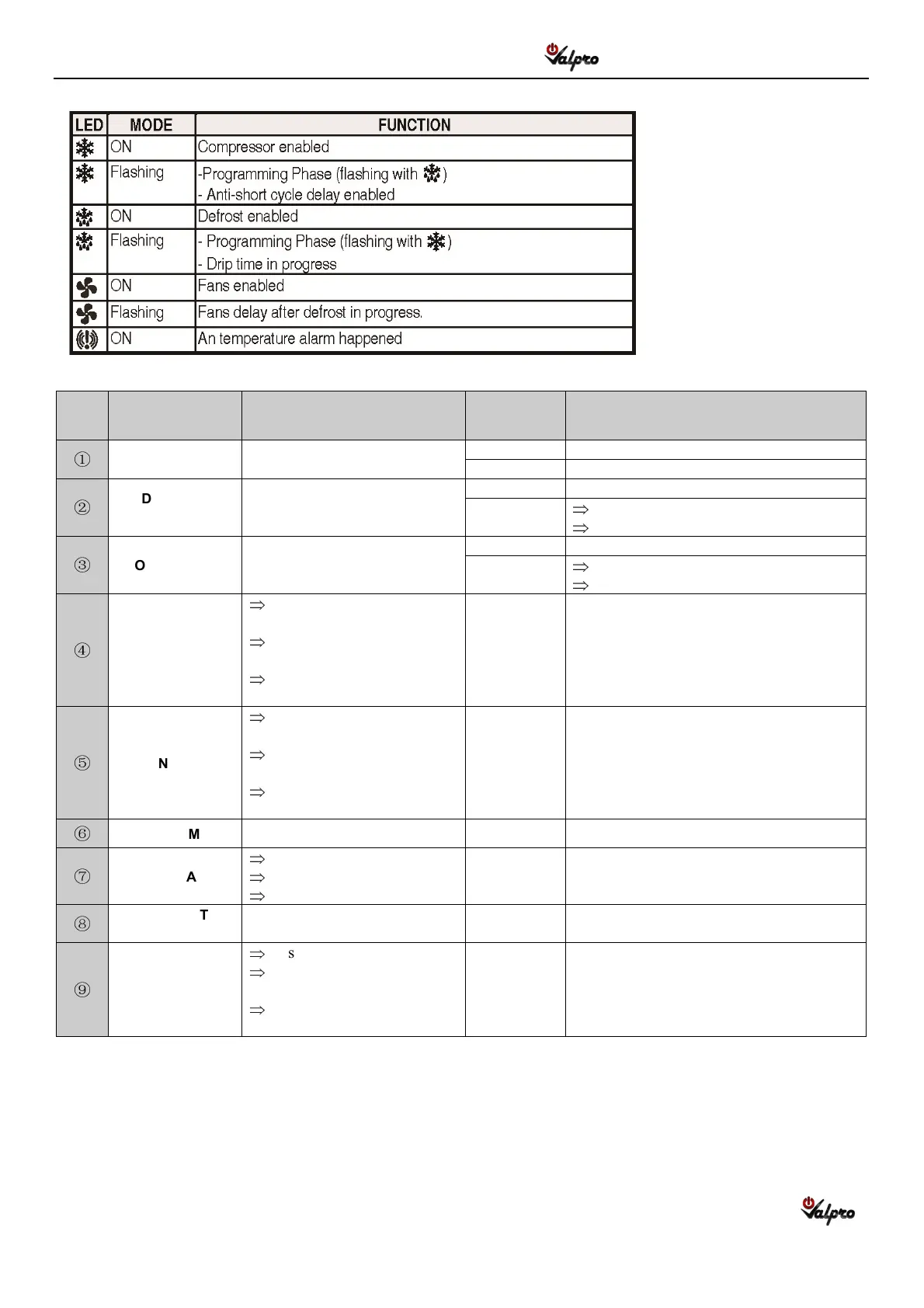
1.2 Function of LEDS
LED Indicator
Function LED Mode
LED Indication
①
FAN Indicates the fans are running.
On Fans enabled.
Flashing Fans delay after defrost in progress
②
DEFROST
INDICATOR
Defrost status.
On Defrost enabled.
Flashing
Programming phase ( Indicators flashing)
Drip time in progress
③
COMPRESSOR
Indicates the compressor is
running.
On Compressor enabled.
Flashing
Programming phase ( Indicators flashing)
Anti-short cycle delay enabled.
④
UP ARROW
Display last temperature
alarm
In programming mode—
browse parameter codes.
In programming mode—
increase the displayed value.
⑤
DOWN ARROW
Display last temperature
alarm
In programming mode—
browse parameter codes.
In programming mode—
decrease the displayed value.
⑥
ALARM Indicates a temperature alarm. On A temperature alarm happened.
⑦
DISPLAY
Display room temperature.
Display set points
Display alarm codes.
⑧
DEFROST
BUTTON
Start a manual defrost.
⑨
SET
Display a target set point.
Select a parameter
(In programming mode).
Confirm an operation
(In programming mode).


 To Next Page