EasyManua.ls Logo

Valueline VLS-DVBT2-FTA1 - User Manual

Valueline VLS-DVBT2-FTA1
68 pages
Print Icon
To Next Page IconTo Next Page
Loading...
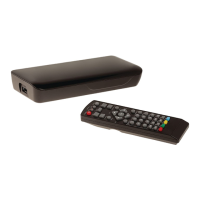
VLS-DVBT2-FTA1
Digital set-top box
USER MANUAL (EN)
GEBRUIKSAANWIJZING (NL)
BEDIENUNGSANLEITUNG (DE)
MANUAL DE USUARIO (ES)
MANUEL DE L’UTILISATEUR (FR)
BRUGSVEJLEDNING (DA)
BRUKSANVISNING (SV)
YTTÖOPAS (FI)
MANUAL DE UTILIZARE (RO)

Questions and Answers

Summary

Device Overview

Package Contents

Lists the items included in the product packaging.

Front Panel Description

Details the indicators and remote control sensor on the front of the device.

Rear Panel Connections

Explains the ports and connections available on the rear of the set-top box.

Side Panel Features

Describes the USB input port located on the side of the device.

Remote Control Functions

Basic Navigation and Control

Buttons for menu, exit, volume, channel selection, and confirmation.

Playback and Recording Controls

Controls for playing, pausing, stopping, fast-forwarding, rewinding, skipping, and recording programs.

Program and List Access

Buttons for channel tuning, TV/Radio modes, recall, favorites, EPG, and recorded lists.

Information and Media Settings

Buttons for displaying information, teletext, subtitles, audio, and colour functions.

Power and Mute Controls

Buttons to switch the device on/standby and mute/unmute audio.

Device Usage and Setup

Initial Installation and Setup

Guides through battery installation and the first-time setup process including channel scanning.

Menu Navigation and Program Management

Explains accessing menus, editing programs, and managing recordings/favorites.

Features and Settings

Programme Guide

Displays scheduled TV and radio programs for the next seven days.

Channel Sorting and Tuning

Options for sorting channels by LCN, Name, or Service ID, and manual/auto channel search.

Picture Settings

Adjusts aspect ratio, resolution, TV format, and video output.

Time Settings

Configures time offset, time zone, and auto standby function.

Option Settings

Configures OSD language, subtitle language, audio language, and digital audio output.

Advanced Functions

System Settings

Manages parental guidance, passwords, factory resets, information, and software updates.

USB Media Playback

Configures USB settings for photo, movie, and PVR playback, including subtitle options.

PVR Recording and Playback

Details preparation, recording, and playback procedures for the Personal Video Recorder function.

EPG Schedule Timer and Book List

Utilizes the EPG for scheduling recordings and managing the programmed recordings list.

Technical Information and Support

Cleaning and Maintenance

Provides instructions for safe cleaning and general maintenance of the device.

Troubleshooting Guide

Offers solutions for common problems like no sound, no picture, or remote control issues.

Technical Data

Lists the electrical specifications, tuner details, and supported file formats.

Safety and Documentation

General Safety Precautions

Outlines essential safety guidelines for using the device properly and avoiding hazards.

Electrical and Battery Safety

Details safety measures related to electrical connections and battery handling.

Warranty and Disposal Information

Covers warranty terms, product disposal guidelines, and compliance information.

Valueline VLS-DVBT2-FTA1 Specifications

General IconGeneral
Tuner TypeDVB-T2
Supported StandardsDVB-T2, DVB-T
Video OutputHDMI, SCART
InputAntenna
Media PlaybackYes
USB PortYes
EPGYes
TeletextYes
Video FormatMPEG4, H.264
Audio OutputHDMI
ConnectorsHDMI, USB
Resolution1080p

Related product manuals