Tel. +44(0)1757 701177, Fax +44(0)1757 706011, E-mail: sales@vanosmedical.com, www.vanosmedical.com
Adjusting the armrest height (optional armrest)
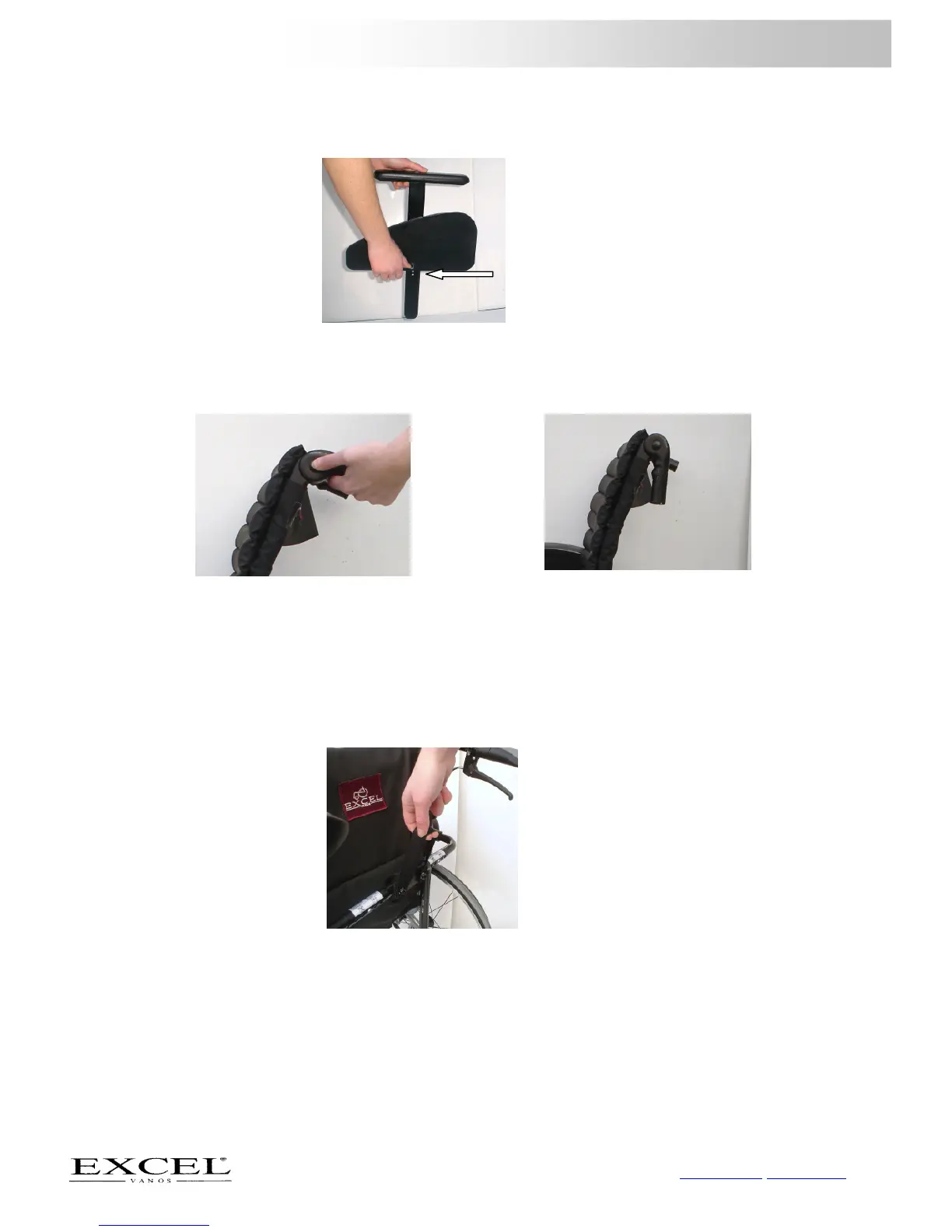
To adjust the height of this armrest, you have to use the supplied wrench number 4.
- Loosen the screw with the supplied wrench, see figure 10;
- Move the armrest to the correct height and tighten the screw back down;
- Make sure the screw is securely tightened.
5.6 Using push handles
Swing away the push handles
- Hold the push handle and press the black knob on it, see figure 11;
- You can now move the push handles down, see figure 12;
5.7 Potential uses and functions of the back of the wheelchair
Using the tension bar (optional)
- If you fold out the wheelchair, the tension bar is the last item to lock into place by pulling it upwards with the
nylon hoop, see figure 13;
- If you wish to fold your wheelchair you must first release the tension bar. You can do this by pulling the nylon
loop of the tension bar downwards gently.
Setting the angle of the backrest (explanation of the function)
On your wheelchair you have the opportunity to adjust the angle of the backrest. As you can not do this yourself we
advise you to go to an authorized @ Excel dealer.
Setting the height of the backrest (explanation of the function, compact)
On your wheelchair you have the opportunity to adjust the height of the backrest. As you can not do this yourself
we advise you to go to an authorized @ Excel dealer.



 To Next Page