6
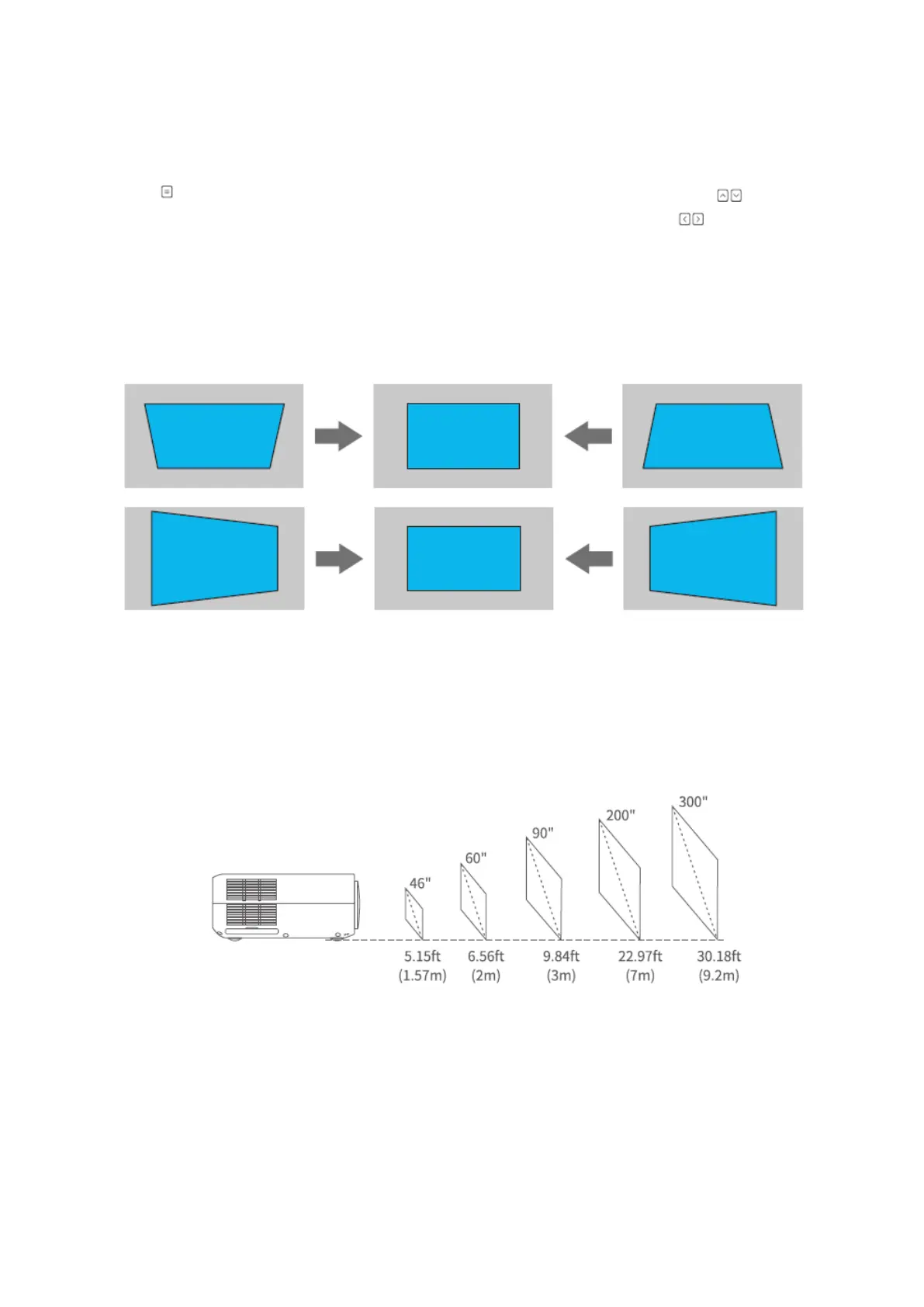
Keystone Correction
Press on the projector/remote, then select OPTION > Keystone. Press the button
to select from H. Calibration, V. Calibration and Auto Adjust, then press to start
correcting the image shape.
Vertical & Horizontal Correction
Projection distance & size
The recommended projection screen is around 90 inches with a projection distance of
around 9.84ft.
Ambient darkness will improve the clarity of the projected images.












 To Next Page