6
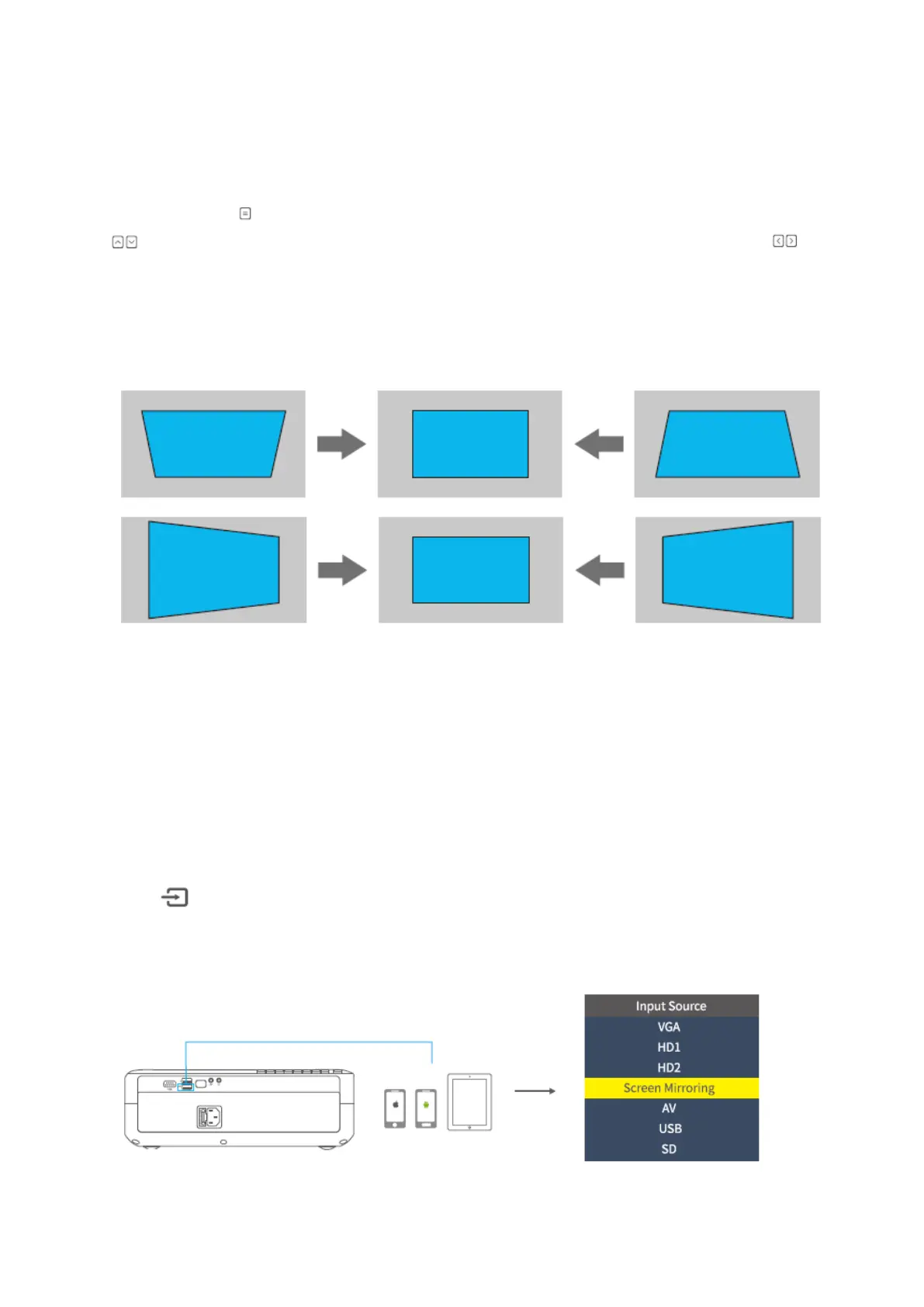
Keystone Correction
Option 1: Adjust the keystone on the projector to adjust the image shape.
Option 2: Press on the projector/remote, then select OPTION > Keystone. Press the
button to select from H. Calibration, V. Calibration and Auto Adjust, then press
to start correcting the image shape.
Vertical & Horizontal Correction
TIPS:
• If you select Auto Adjust, the projected image will perform a vertical adjustment
automatically.
• The range of the digital keystone correction is ± 50°. To optimize your view
experience, please keep the keystone under 25° if digital adjustment is needed.
Input source
Press on the projector or remote to enter the interface of Input Source.
A. Screen Mirroring














 To Next Page