Installation
8
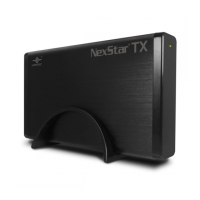
Using the Audio Jack:
1) If you have connected the audio cable to your 5.25"
device, you can access the audio through the Audio
Jack, labeled "AUDIO" as pictured on the right. Using
a standard 3.5mm plug, you can connect the
Nexstar® DX to a pair of headphones or to a speaker
setup. ( Figure 5.1-H )
( Figure 5.1-H )
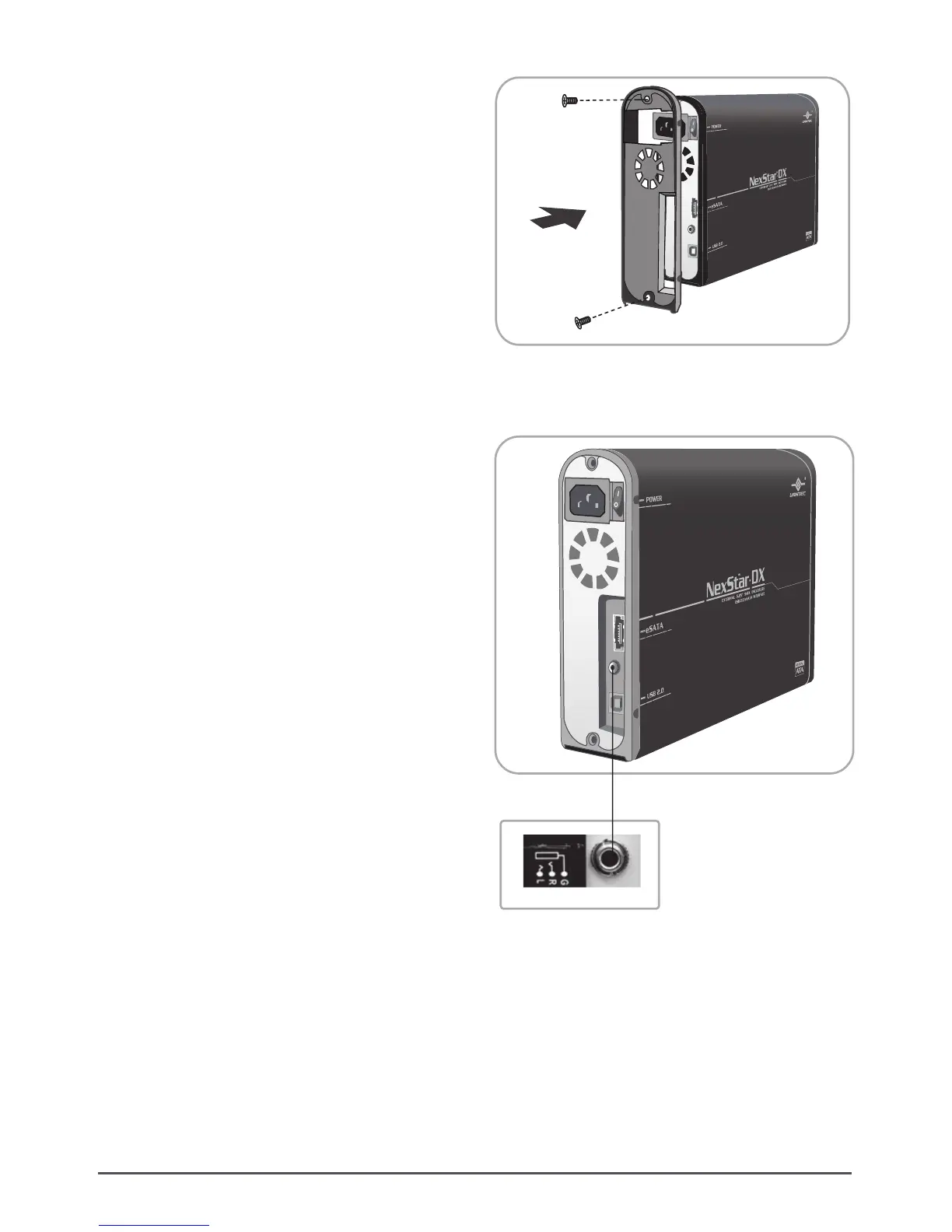
(7) Slide the housing back onto the tray and attach
with the screws provided. ( Figure 5.1-G )
( Figure 5.1-G )







 To Next Page