Công Ty Cổ Phần Thương Mại Vạn Xuân . www.vantech.com.vn
189A Lý Thường Kiệt – P.7 – Q.11 – Tp.HCM Tell : (08)3.955.9999 – Fax : (08) 5.405.13.78
Switch between numbers and letters : Chuyển đổi giữa các số và chữ
Press to cancel the setup, and re-choose the login
Account :
Bấm để huỷ bỏ cài đặt và chọn lại đăng nhập
Delete the last character : Xoá các ký tự cuối
Enter to identify the password. It will enter the set
up menu, If the password is verified
: Chọn vào để xác định mật khẩu , sẽ hiển
thị bảng thiết lập nếu mật khẩu được xác minh
Space key : Khoảng cách
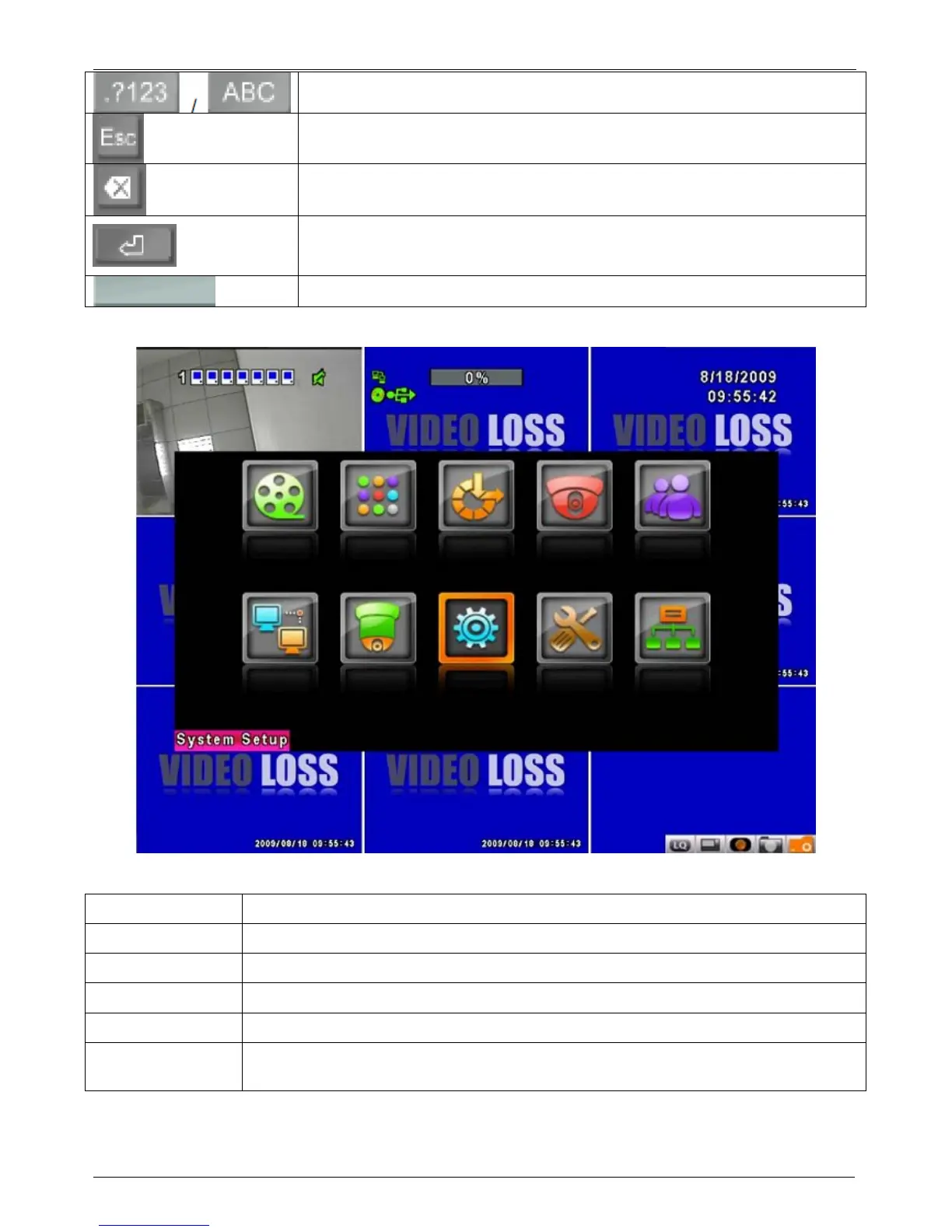
Table 4-0.2 The operation of remote control under the setting menu
Item
Description :
Mô tả
Switch to different options under one item : Chuyển tới những mục tuỳ chọn khác
Switch to different items : Chuyển tới những mục khác
MENU
Save setup and back to LIVE mode :
Sao lưu cài đặt và quay lại chế độ hiển thị trực tiếp
ESC
Back to Upper level of menu without saving :
Quay lại mức trên và không sao lưu
ENTER
Enter the menu, or display virtual keyboard :
Chọn vào Menu hoặc hiển thị bàn phím
ảo .
PS. The initialization of new-installed HHD is required before recording, please refer to “4-9
UTILITY SETUP” for detail :
Thiết lập ổ cứng trước khi cài đặt ghi hình


 To Next Page