Công Ty Cổ Phần Thương Mại Vạn Xuân . www.vantech.com.vn
189A Lý Thường Kiệt – P.7 – Q.11 – Tp.HCM Tell : (08)3.955.9999 – Fax : (08) 5.405.13.78
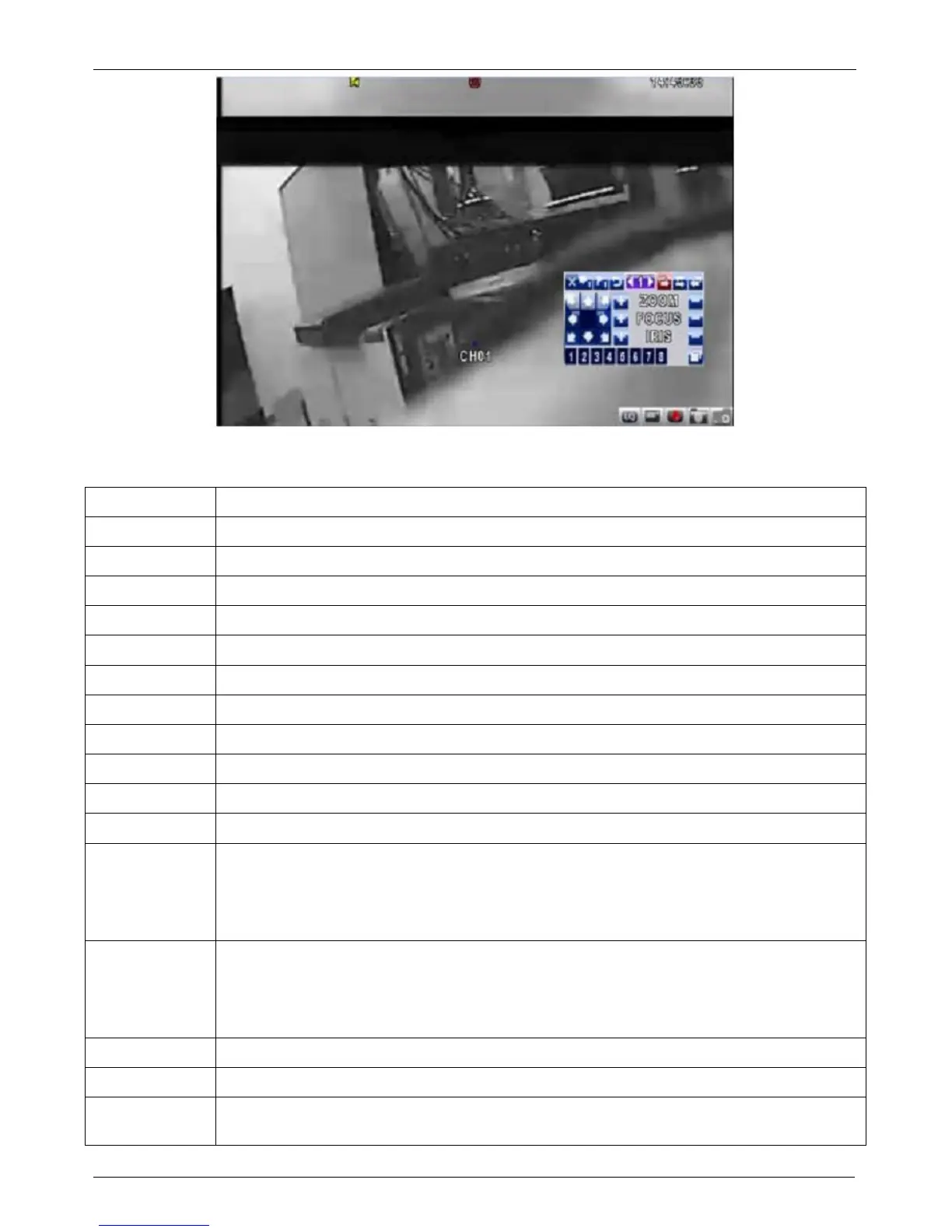
Table 3-3.1 Remote Control functions under the PTZ mode : Những chức năng điều khiển từ xa ở chế độ
PTZ
Button Description
/ SLOW Move PTZ up : Điều khiển xuống
/ Move PTZ down : Điều khiển lên
/ Move PTZ to the left : Điều khiển trái
/ Move PTZ to the right : Điều khiển phải
ZOOM + PTZ zoom-in : Điều khiển zoom tới
ZOOM - PTZ zoom-out : Điều khiển zoom lui
FOCUS + PTZ focus-in : Điều khiển focus tới
FOCUS - PTZ focus-out : Điều khiển focus lui
IRIS + PTZ iris-open : Điều khiển iris mở
IRIS - PTZ iris-close : Điều khiển iris đóng
TOUR Activate PTZ pre-set tour : Kích hoạt PTZ theo hành trình đặt trước
PRESET+
Number
Setup the Preset location : Thiết lập trước ví trí
Press “PRESET” key first then two-digit number; DVR will set the current
PTZ location at entered preset number :
Điều chỉnh tới vị trí trước đã nhập.
Bấm "PRESET" quan trọng đầu tiên sau đó hai chữ số; DVR sẽ thiết lập hiện tại
PLAY+
Number
Go to Preset location : Đi đến vị trí đã thiết lập .
Press “PLAY” key first then two-digit number, PTZ will go to the
correspondent preset number location :
Bấm “Play” ở 2 chữ số đầu tiên , PTZ sẽ di chuyển
t
ới vị trí đã được thiết lập trước .
PIP Set current PTZ location as the start of line-scan : Thiết lập vị trí hiện tại khi bắt đầu quét
FREEZE Activate auto line-scan : Kích hoạt chế độ tự động quét
ZOOM Set current PTZ location as the end of line-scan : Thiết lập vị trí như hiện tại ở cuối dòng
quét


 To Next Page