Công Ty Cổ Phần Thương Mại Vạn Xuân . www.vantech.com.vn
189A Lý Thường Kiệt – P.7 – Q.11 – Tp.HCM Tell : (08)3.955.9999 – Fax : (08) 5.405.13.78
7-1.2 Mobile Application Operation : Cài đặt ứng dụng cho điện thoại
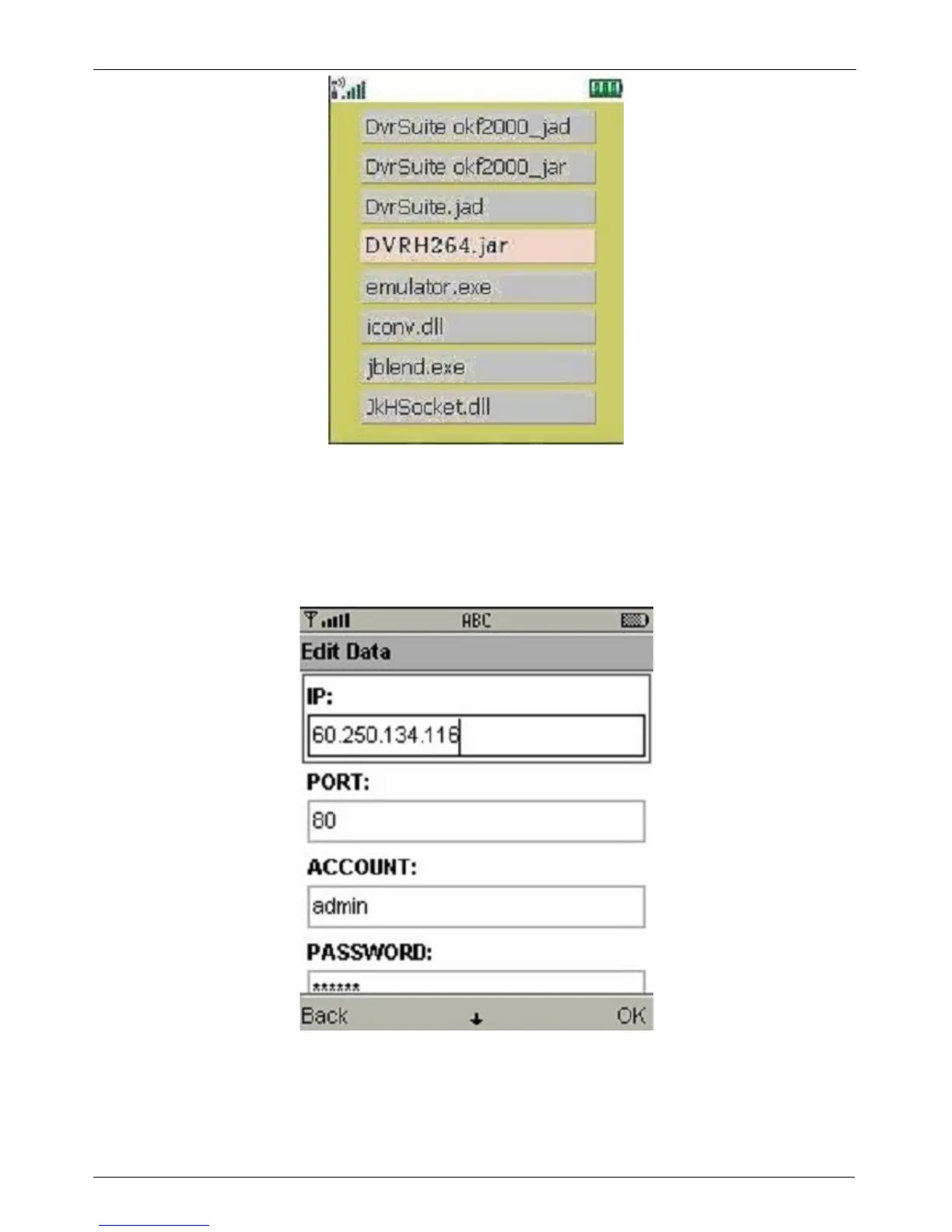
After the installation, enter the Program Files menu in your mobile device to run a file called
“DVRH264”. Select “Menu” at the right lower corner of your mobile screen, 4 commands, Login Add
Modify and Delete, will show up :
Sau khi cài đặt , chọn vào Menu Program Files trong điện thoại di động của
bạn để chạy file “DVRH264” . Chọn Menu ở góc dưới bên phải của màn hình điện thoại của bạn , có 4 lệnh, Login
Add , Modifi
và Delete , nó sẽ hiện lên :


 To Next Page