- 5 -
3. Installation
3.1 Installing a Memo Card (Recommended Vantrue U3 high-speed microSD
card).
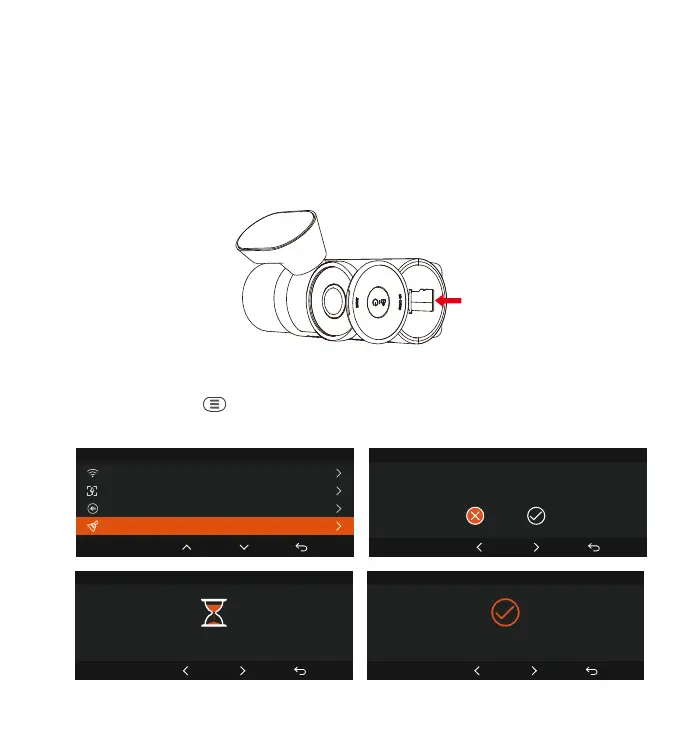
Please inse a memo card (memo card capacity: 32GB-512GB, card
speed: U3/Class10/A2) into the card slot according to the direction indicated
in below picture, until a "click" sound is heard in the card slot, indicating that
the memo card is inseed properly.
After inseing the memo card, if the screen prompts "Card error, please
format" (please note that the recorder does not record at this time), please
directly press the button to enter the menu, then go to 'system setup' and
choose 'format' to sta the formatting process.
Format SD Card
OK
All data will be deleted!
OK
System Setup
5/14
Format SD Card
Wi-Fi
Voice Control
Voice Content
Format SD Card
OK
Format SD Card
Format SD Card
OK
Format successful



 To Next Page