It is the owner and/or operator’s responsibility to study all WARNINGS, operating, and maintenance
instructions contained on the product label and instruction manual prior to operation of this random
orbital buffer. The owner/operator shall retain product instructions for future reference.
The owner and/or operator are responsible for maintenance, maintaining all decals or warning labels and
while in use, maintaining the unit in good working order. If the owner and/or operator are not fluent in
English, the product warnings and instructions shall be read and discussed with the operator’s native
language by the purchaser/owner or his designee. Make sure that the operator comprehends its con-
tents. Safety information shall be emphasized and understood prior to usage. The random orbital buffer
shall be inspected per the operating instructions.
Users of this random orbital buffer must fully understand these instructions. Each person operating this
random orbital buffer must also be of sound mind and body and must not be under the influence of any
substance that might impair their vision, dexterity, or judgment.
Protect yourself and others by observing all safety information.
Failure to comply with instructions could result in personal injury and/or property damage!
If you encounter any problems or difficulties, please contact our customer service department at:
1-800-386-0191
1
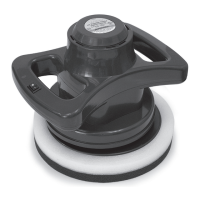
10" Random Orbital Buffer
Instruction Manual
22610


 To Next Page
 General