Need help?
Do you have a question about the Vari Lite PROFILE IP VL3600 and is the answer not in the manual?
Provides necessary information regarding safety, installation, operation, and maintenance.
Crucial safety precautions for installation, operation, and maintenance.
Warnings regarding direct sunlight, dimmer circuits, and third-party parts.
Declarations of conformity with FCC and EU directives.
Steps for obtaining warranty service, including RMA process and contact information.
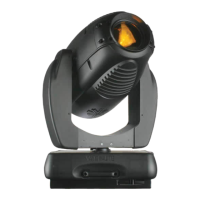
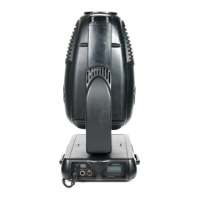
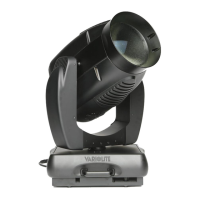
Detailed overview of the VL3600 Profile IP's capabilities and specifications.
Details on connecting power and data cables, including specifications for DMX512/RDM.
Instructions for mounting the luminaire using truss hooks and safety cables.
Guidelines for placing the luminaire on a floor for operation.
Steps for powering up the luminaire and its calibration sequence.
Setting the DMX starting address for the fixture via menu or RDM.
Information on the two fixed color wheels and their adjustments.
Details on the two gobo wheels, including glass gobo compatibility.
Overview of accessing and navigating the fixture's menu system for settings.
How to use the menu system when the fixture is not connected to main power.
Information displayed on the status bar indicating fixture operational status.
Configuration options for LED engine, including dimming, output mode, and fan.
Settings for Pan/Tilt movement and side hanging orientation.
Settings for DMX address, mode, signal selection, and network parameters.
Procedure for running a comprehensive self-test of all fixture functions.
Self-test procedure for the fixture's pan and tilt mechanisms.
Performing self-tests on individual fixture functions via the test channel menu.
Displays values from pan encoders, indicating motor and secondary encoder status.
Displays values from tilt encoders, indicating motor and secondary encoder status.
How to load, edit, store, and clear manual presets for fixture control.
Detailed mapping of DMX channels, parameters, default values, and ranges.
List of RDM parameters, their IDs, and allowed GET/SET operations.
Procedure for removing and reinstalling luminaire covers safely.
Step-by-step guide for replacing rotating gobos within the fixture.
Steps for replacing fixed gobos in the fixture.
Common operational problems and their solutions for the fixture.
Guidelines for cleaning internal lenses, optics, filters, and gobos.
Explanation of different fan speed modes and their impact on noise and output.
Contact details for global, North America, and European technical support.
 General
| Beam Angle | 5° - 50° |
|---|---|
| Zoom Range | 5° - 50° |
| Zoom | Yes |
| Focus | Yes |
| Gobo Rotation | Yes |
| Pan | 540° |
| Tilt | 270° |
| IP Rating | IP65 |
| Voltage | 100-240VAC, 50/60Hz |
| Type | Moving Head |
| Gobo Wheels | 2 |
| Strobe | Yes |
| Control Protocol | DMX, RDM |
| Housing | Aluminum |

 To Next Page