·Fn+X Turn on/off the light. Turn on defaulted version is the latest light effect.
·Fn+Insert to accelerate the light speed, Press Fn+Delete to reduce the light speed.(one-way adjustment & no recycling).
·Fn + ↓ brightness decrease(one-way adjustment & no recycling).
·Fn + ↑ brightness increase(one-way adjustment & no recycling).
·Only workable for keyboard with LED.
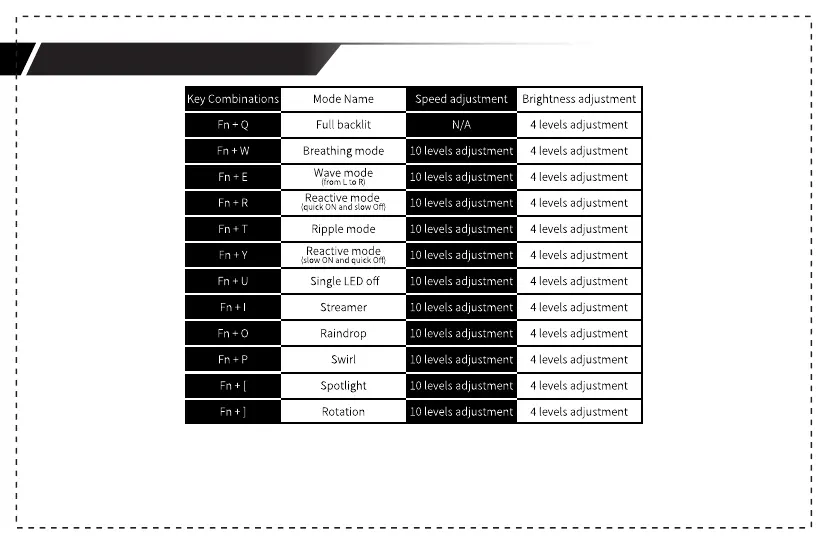
Light Mode and Switching Method
8



 To Next Page