EasyManua.ls Logo

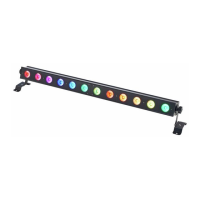
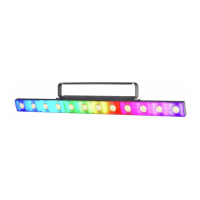
Varytec Colors StarBar 12 - User Manual

Varytec Colors StarBar 12
52 pages
Print Icon
To Next Page IconTo Next Page
Loading...
Colors StarBar 12
LED bar
User manual

Questions and Answers

  • M
    Mrs. Victoria PhamAug 10, 2025
    What to do if Varytec Colors StarBar 12 DJ Equipment has no response to the DMX controller?
    • J
      Jodi BarajasAug 10, 2025
      If your Varytec DJ Equipment isn't responding to the DMX controller, here are a few things to check: * If the display flashes (e.g., ‘A001’), it means no valid DMX signal is being received. Ensure the DMX controller is powered on and verify the DMX connectors and cables are properly connected. * If the display isn't flashing, inspect the address settings and DMX polarity. * Try a different DMX controller. * Make sure DMX cables aren't running close to high-voltage cables, as these can cause interference.
  • G
    George GonzalesAug 23, 2025
    How to troubleshoot Varytec DJ Equipment that does not work and has no light?
    • P
      pmathisAug 23, 2025
      If your Varytec DJ Equipment isn't working and there's no light, check the mains connection and the main fuse.

Varytec Colors StarBar 12 Specifications

General IconGeneral
TypeLED Bar
Number of LEDs12
LED ColourRGB
Control ProtocolDMX 512
Beam Angle25°
Weight2.5 kg
Power Supply100-240 V AC, 50/60 Hz
LED Quantity12
ControlDMX, Master/Slave, Sound Active
DMX Channels3, 5, 8, 36
DMX Connection3-pin
ModesDMX, Auto, Sound
ConnectorsIEC In/Out

Related product manuals