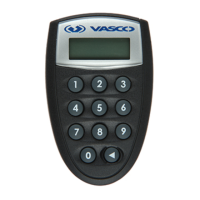
Identification Code
To get the identification code you have to do the following:
CommentsDisplayAction№
If PIN is correct:3 APPLI -
For identification code
acquiring input code 1.
4 APPLI 1
e device prompts to enter operation code:
1 – identification;
2 – signature.
-
Device will display
6–digit identification code
5 XXXXXX When working in the PNB Internetbank, the
identification code must be entered in the
appropriate form of PNB Internetbank, in to
the field:
PASSWORD of identification table or CODE
of Digipass device
Press button .
Device will display
4-digit ‘return code’.
6 XXXX When working in the PNB Internetbank, the
return code should match the one on the
screen of PNB Internetbank. If codes are
identical, You are working with genuine
PNB Internetbank.
1 PIN e device prompts You for PIN.
Input Your PIN2 XXXXX -
3
JSC “PNB Banka”
DP270 User’s Guide
Press the button
and holding it press,
the button.


 To Next Page