Need help?
Do you have a question about the Vaultek PROMXI and is the answer not in the manual?
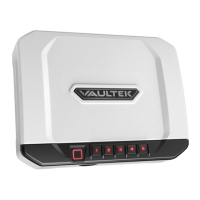
Identifies key external parts like the scanner and keypad, and describes LCD screen indicators.
Explains icons for safe status, battery, Bluetooth, Smart Key, and impact detection.
Details the adjustable shelf, modules, mounting holes, and battery compartment.
Identifies the PROGRAM and LED Light buttons for safe operation.
Explains access methods, defense features, and impact detection.
Critical warnings for safe use, key storage, environmental factors, and disclaimers.
Step-by-step guide for installing and recharging the safe's battery.
How to check battery level and criteria for replacement.
Steps to set and secure the safe's master code, including requirements.
Guidance for optimizing fingerprint scan accuracy and success.
Process for programming the first two administrative fingerprints.
Steps to program fingerprints 3 through 20.
Procedure to delete all stored fingerprints from the safe.
How to pair the Smart Key and select access modes like Progressive or On Demand.
Instructions for removing a paired Smart Key from the safe.
Managing multiple safes with one key and replacing the key's battery.
Warnings about security implications and best practices for Smart Key use.
Using hot keys to manage tamper detection, stealth mode, and travel mode.
Hot keys for checking battery status, interior light, and LCD brightness.
Hot keys for Bluetooth, Smart Key modes, DMT sensitivity, and Dual Entry.
Lists the various functionalities available through the mobile app.
Step-by-step guide to securely pair your phone with the safe.
Instructions for mounting the safe and adjusting its interior shelf.
Guide on how to register the safe for support and warranty benefits.
Answers common questions about the app, battery, fingerprint scanner, and key management.
Solutions for common problems and information on customer support and warranty.
Details on the device's compliance with RF exposure, FCC Part 15 rules, and interference mitigation.
 General
| Material | 16-gauge steel |
|---|---|
| Power Source | Rechargeable Lithium-ion Battery |
| Connectivity | Bluetooth |
| Locking Bolts | 4 |
| Biometric Storage Capacity | 20 fingerprints |
| Category | Smart Safe |
| Capacity | Fits up to 2 handguns with magazines |
| Security Features | Anti-impact latches |
| Warranty | 1 year limited |
| Lock Type | Biometric, Keypad, Key |
| Battery Life | Up to 4 months on a single charge |
| Access Methods | Biometric, Keypad, Key, Mobile App |


 To Next Page