Driving and operating 141
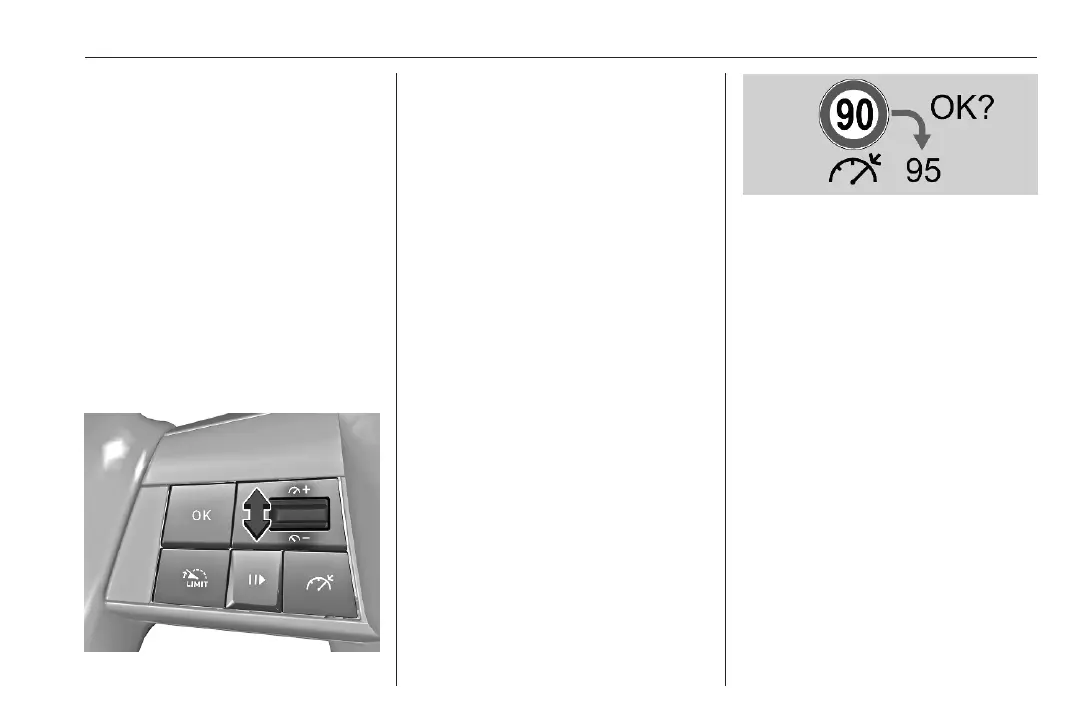
Press OK to store the current vehicle
speed as speed setting and activate
the cruise control. / changes from
grey to green indicating that system is
active. The accelerator pedal can be
released.
Alternatively, move the thumb wheel
to - to increase or ! to decrease
the speed and store this speed as
speed setting. Cruise control is
immediately activated if the
thumbwheel is moved upwards or
downwards. / changes from grey to
green.
Setting speed by the driver
If the system is active, the preset
speed can be changed by moving the
thumb wheel to - to increase
or ! to decrease the speed. Move
thumb wheel repeatedly to change
speed in small steps, move and hold
to change speed in large steps.
Adopting speed by the speed limit
recognition
A detected speed limit can be used as
new set speed for the cruise control.
To detect speed limit sign, the traffic
sign assistant has to be activated.
Traffic sign assistant 3 167.
When passing the speed limit sign
OK? is automatically displayed.
Press OK on the steering wheel to
store the suggested speed.
The suggested speed is shown as
new speed setting.
After passing the speed limit sign
Press OK on the steering wheel.
OK? is displayed
Press OK to store the suggested
speed.
The suggested speed is shown as
new speed setting.
Exceeding the set speed
It is always possible to drive faster
than the set speed by depressing the
accelerator pedal. When the
accelerator pedal is released, the
vehicle returns to the stored speed.
While the set speed is exceeded, the
set speed setting flashes.
Deactivation of the functionality
Press ". The vehicle is driven
without cruise control.














 To Next Page