148 Driving and operating
selector lever to park position P
and switch off the ignition before
leaving the vehicle.
Setting the following distance
When the adaptive cruise control
detects a slower moving vehicle in the
driving path, it will adjust the vehicle
speed to maintain the following
distance selected by the driver.
The following distance can be set to
close (1 bar), normal (2 bars) or far (3
bars).
If the engine is running and the
adaptive cruise control is switched on
(grey) or active (green), you can
modify the following distance setting:
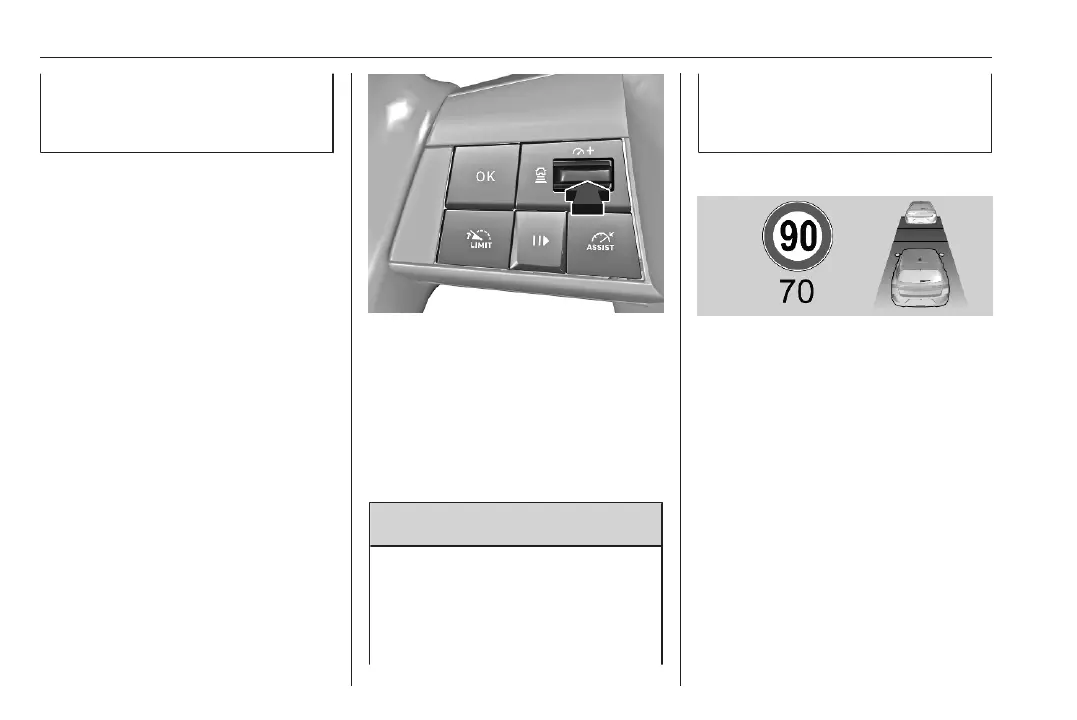
Press the button to display the current
following distance setting in the Driver
Information Centre.
Press the button successively to
select the required following distance
setting. The selected following
distance is indicated by full bars on
the adaptive cruise control screen.
9 Warning
The driver accepts full
responsibility for the appropriate
following distance based on traffic,
weather and visibility conditions.
Following distance must be
adjusted or the system switched
off when required by the prevailing
conditions.
Detecting the vehicle ahead
If the system detects a vehicle in the
driving path, the adaptive cruise
control screen changes accordingly.
Deactivation of the functionality
Press ".
The adaptive cruise control is
deactivated, but not disabled. The
last stored set speed remains in
memory for later usage.






 To Next Page