Instruments and controls 99
Route guidance
Additional to the navigation
information in the Colour-Info-
Display, route guidance is displayed
in the Driver Information Centre.
Vehicle personalisation
The vehicle can be personalised by
changing the settings in the
Infotainment system.
Depending on vehicle equipment
some of the functions described
below may not be available.
Settings in the
Graphic-Info-Display
CD 400
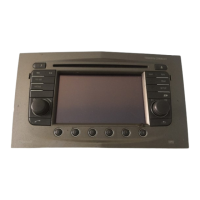
Press the CONFIG button for the
Settings menu.
Press the CONFIG button, when
ignition is on and Infotainment system
is activated.
Setting menus is displayed.
To switch the setting menus, turn the
MENU knob.
To select the setting menus, press the
MENU button.
To close or back to previous, press
the BACK button.
The following settings can be
selected:
■ Languages
■ Time Date
■ Radio settings
■ Bluetooth settings
■ Vehicle settings
In the corresponding submenus the
following settings can be changed:
Languages
Selection of the desired language.
Time Date
See Clock 3 76.



 To Next Page
 Loading...