Vax Careline: AU: 1300 361 505
NZ: 0800 800 900
vax.com.au
vax.co.nz 16
Operation
NOTE: You can switch the robot o whenever you want; just choose one
of the following:
• Press the “On/O” key (
) on the robot. This will stop the robot
(it is now in standby).
• Press the “On/O” key (
) on the robot for greater than 1 second.
This will turn the robot o.
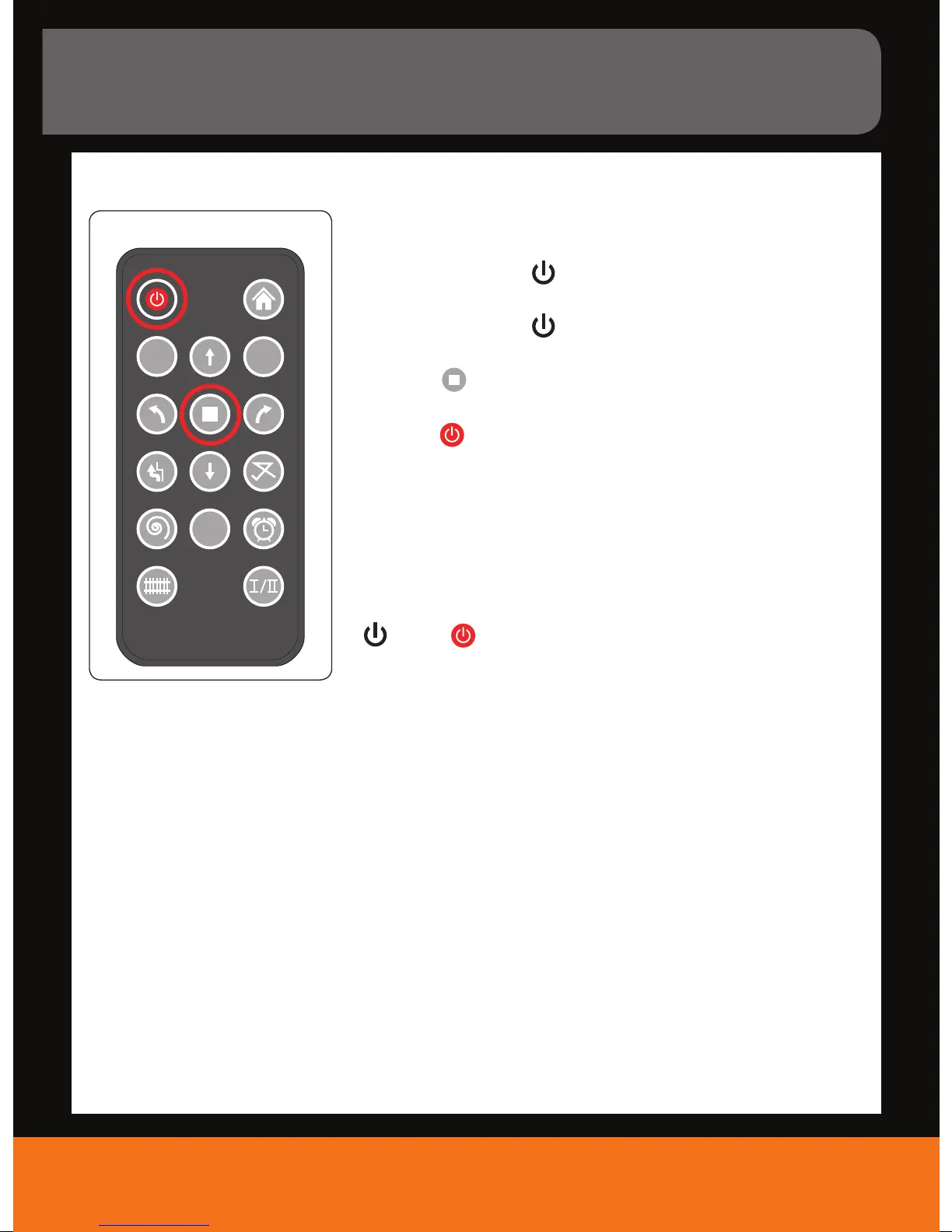
• Press the “
“ key on the remote control. This will stop the robot
(it is now in standby).
• Press the “
“ key on the remote control for about 2 seconds.
This will turn the robot o.
• Lift the robot. It will stop within 1 second.
NOTE: If you lift the appliance while it is in operation, the motors will
switch o automatically after approx. 1 second without oor contact.
However, in the case the appliance is not switched o (blue LED ashing
slow, red LED ashing fast) switch o your robot via the “On/O” key
(
) or the “ “ key on the remote control. The error will be deleted.
You can start your robot again.
Switching o
Go
A
24
HOUR
22.



 To Next Page