Need help?
Do you have a question about the Vaxcel Chatham and is the answer not in the manual?
Lists included hardware components like mounting strap, screws, wire connectors, end caps, and rubber pads.
Instructions to disconnect power before starting the installation process.
Guidance on installing the light bulb, noting wattage limits.
Instructions to restore power after installation is complete.
Explains how to access and adjust the sensor lens, knobs, and slide switch.
Details the different operating modes: Test, 3H, 6H, 0 Mode, and Manual Override.
Explains how to adjust shut-off delay and motion sensor sensitivity.
Steps to diagnose and fix issues where the light fails to illuminate.
Addresses a specific issue in Test Mode related to continuous full brightness.
Troubleshooting for lights remaining at full brightness in 3H or 6H modes.
Solves issues where the light stays on for 3 minutes after motion ceases in 3H/6H modes.
Fixes problems where the light turns off instead of dimming in 3H/6H modes.
Provides solutions for intermittent light blinking issues.
Lists the assembly kits available for re-order for specific models.
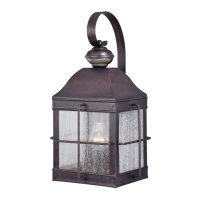
This document provides comprehensive instructions for the assembly, installation, and operation of a Vaxcel outdoor lighting fixture, specifically models T0606, T0249, and T0326. It emphasizes safety precautions, detailed installation steps, and a thorough explanation of the fixture's various operational modes and customization options.
The fixture is designed as an energy-saving outdoor light, suitable for various applications such as front entrances or backyards. A key feature is its ability to operate with dim-to-full brightness, offering flexibility depending on whether dim or full illumination is preferred. It also includes a manual override mode, allowing the user to keep the light continuously on until dawn using a wall switch.
Before beginning any installation, the manual strongly advises turning off the main power at the circuit breaker to prevent electrical shock. It also recommends consulting local electrical codes for wiring and grounding requirements, and if unfamiliar with these codes, to consult a qualified electrician. The fixture operates on a 120V AC, 60 Hz power source. Users are cautioned against attempting to disassemble the lantern, as it contains no serviceable parts. Proper grounding is crucial to prevent sensor damage from lightning or electrical surges. For general safety and to protect the sensor, it's important to switch off the power before replacing the bulb. The fixture is compatible with most LED dimmable bulbs and supports a maximum wattage of 60W for incandescent bulbs or 20W for LED dimmable bulbs. It is designed to operate within a temperature range of -4°F to 104°F.
The installation process begins with preparing the mounting strap unit by unscrewing the end cap and removing the rubber pad. The mounting strap unit is then attached to the outlet box using two mounting screws, with an option to adjust the length of the preinstalled threaded pipe. Following this, the source wires are pulled from the outlet box, and wire connections are made using wire connectors. This involves connecting the fixture's hot wire (black insulation) to the power source's black wire, the fixture's neutral wire (white insulation) to the power source's white wire, and the fixture's grounding wire (green or bare wire) to the mounting strap unit with a green grounding screw, and then to the house grounding wire. All wires are then carefully placed back into the outlet box. The backplate of the fixture is then attached to the mounting strap unit, secured with the rubber pad and end cap. A critical step at this point is to caulk completely around where the backplate meets the wall surface using silicone caulking compound to prevent water from seeping into the outlet box. Finally, the bulb (not included) is installed, adhering to the maximum wattage specified on the relamping label or packaging. After installation, the main power at the fuse or circuit box can be turned back on.
The fixture's control panel, featuring "Time," "Low Level," and "Sens" knobs, along with a slide switch, is initially concealed by a sensor lens. To access these controls, the sensor lens must be rotated from left to right. Once exposed, users can adjust the time, low-level brightness, and sensitivity using the respective knobs, and select the desired operating mode via the slide switch. After making adjustments, the sensor lens should be restored to its original position.
The device offers several operational modes, selected by sliding a switch on the back of the sensor. Upon initial power-up, the light turns on immediately and requires a 100-second warm-up period for the sensor.
TEST MODE (daytime and nighttime operation): In this mode, the light maintains a low-level brightness (0%-50%). Upon detecting motion, it switches to high-level brightness (100%) and remains so as long as motion continues. Approximately 5 seconds after motion ceases, it reverts to low-level brightness.
3H MODE (nighttime operation only): At dusk, the light turns to high-level brightness (100%). After 3 hours, it automatically switches to low-level brightness (0%-50%). If motion is detected, it returns to high-level brightness and stays on for a predetermined time (5-180 seconds) set by the user, then reverts to low-level brightness. The light turns off automatically at dawn and re-enters 3H mode at dusk.
6H MODE (nighttime operation only): Similar to 3H mode, but the light switches to low-level brightness automatically after 6 hours at dusk. Motion detection and subsequent behavior are identical to 3H mode. The light turns off automatically at dawn and re-enters 6H mode at dusk.
0 MODE (nighttime operation only): At dusk, the light turns to low-level brightness (0%-50%). Upon motion detection, it switches to high-level brightness (100%) and remains so as long as motion continues. After motion ceases, it stays on for the predetermined time (5-180 seconds) and then reverts to low-level brightness. The light turns off automatically at dawn and re-enters 0H mode at dusk.
Manual Override MODE (nighttime operation only; on at dusk, off at dawn): From 3, 6, or 0 mode, users can activate manual override by turning the wall switch OFF-ON within 3 seconds. In this mode, the light will turn to high-level brightness at dusk and turn off automatically at dawn. To revert to previous settings, the wall switch must be turned OFF-ON again within 3 seconds. The lights will always turn off automatically at dawn in this mode.
The fixture also provides customization options:
Shut-off Delay: This setting determines how long the light remains at high-level brightness after motion is no longer detected. Adjustable via the "TIME" knob (left side of the sensor lens), the delay can range from 5 seconds to 3 minutes. Turning the knob clockwise increases the delay, while counterclockwise decreases it. The light will stay on continuously if motion is detected and will automatically return to low-level brightness once the delay time has passed after motion ceases.
Sensitivity of Motion Sensor: The "Sens" knob (right side of the sensor lens) adjusts the motion sensor's sensitivity. Clockwise rotation increases sensitivity, while counterclockwise decreases it. The detection range can be adjusted from a minimum of 5 feet to a maximum of 40 feet.
Several notes are provided regarding the motion sensor's performance:
A troubleshooting guide is included to address common issues:
The manual concludes with a spare parts list, showing the mounting strap unit, mounting screw, wire connector, end cap, and rubber pad, along with assembly kit part numbers specific to each model. It also provides dimensions (A, B, C) for the T0249 and T0326/T0606 models.
 General
| Style | Traditional |
|---|---|
| Finish | Oil Rubbed Bronze |
| Wattage | 60W |
| Voltage | 120V |
| Category | Outdoor Light |
| Material | Metal |
| Safety Rating | UL Listed |


 To Next Page