Need help?
Do you have a question about the VAXIS ATOM 500 and is the answer not in the manual?
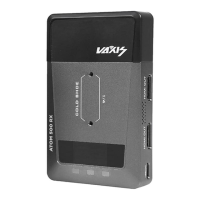
Identifies and lists the various components of the product.
Details the process for changing the operating frequency.
Instructions on how to modify the application password.
Explains how to control the fan speed settings.
Guidance on enabling/disabling the mobile app monitoring.
Steps for installing and using the mobile application.
Solutions for issues related to establishing a stable device connection.
Troubleshooting steps for visual issues or incorrect display output.
How to resolve problems with frozen or stuttering video transmission.
Information regarding compliance with FCC exposure limits and safe usage distances.
 General
| Frequency Response | 20Hz-20KHz |
|---|---|
| Audio Output | 3.5mm |
| Power Supply | USB-C |
| Type | Wireless Microphone System |
| Connector | 3.5mm |
| Input/Output | 3.5mm |
| Compatibility | Cameras |
| Battery Life | 5-6 hours |

 To Next Page