15
ELCARE NORDIC: service.vaya@elcare.com
INFORMATION
Soft Ver: current software version.
PASSWORD
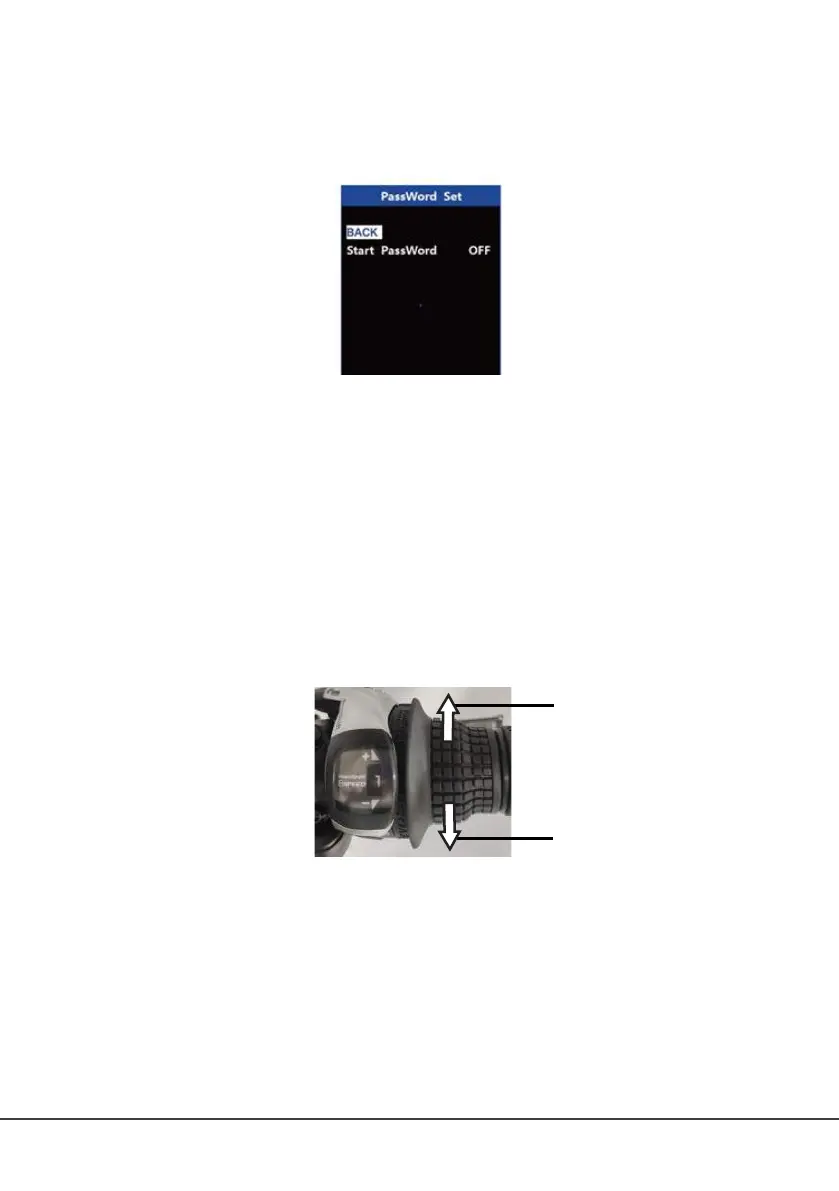
Setting up the password
Select Password in the menu to set up/change password.
Select Start PassWord and set it to YES to activate the password and set up a password.
Input a new password. Press the + / – button to change the value, and then press the i
button to conrm input.
To remove the password, select Start PassWord and set it to OFF. Input the current
password to conrm the selection.
Select Reset Password to set a new password.
• Input the current password.
• Input a new password.
• Repeat the new password to conrm.
Note: If you set a password, write it down. The display cannot be unlocked without the
correct password.
GEAR SHIFTER
22
11
1. Change down
2. Change up
DRIVING MODES
The e-bike has three driving modes: pedal-assist mode, pedal mode, and walk-assist mode.
PEDAL-ASSIST MODE
Step on one of the two pedals in any PAS gear, and the motor will start according to your
setting to provide you with power output. Once you stop pedalling, the pedal assist will
stop automatically.



 To Next Page