27
8.2,
SETTINGS.
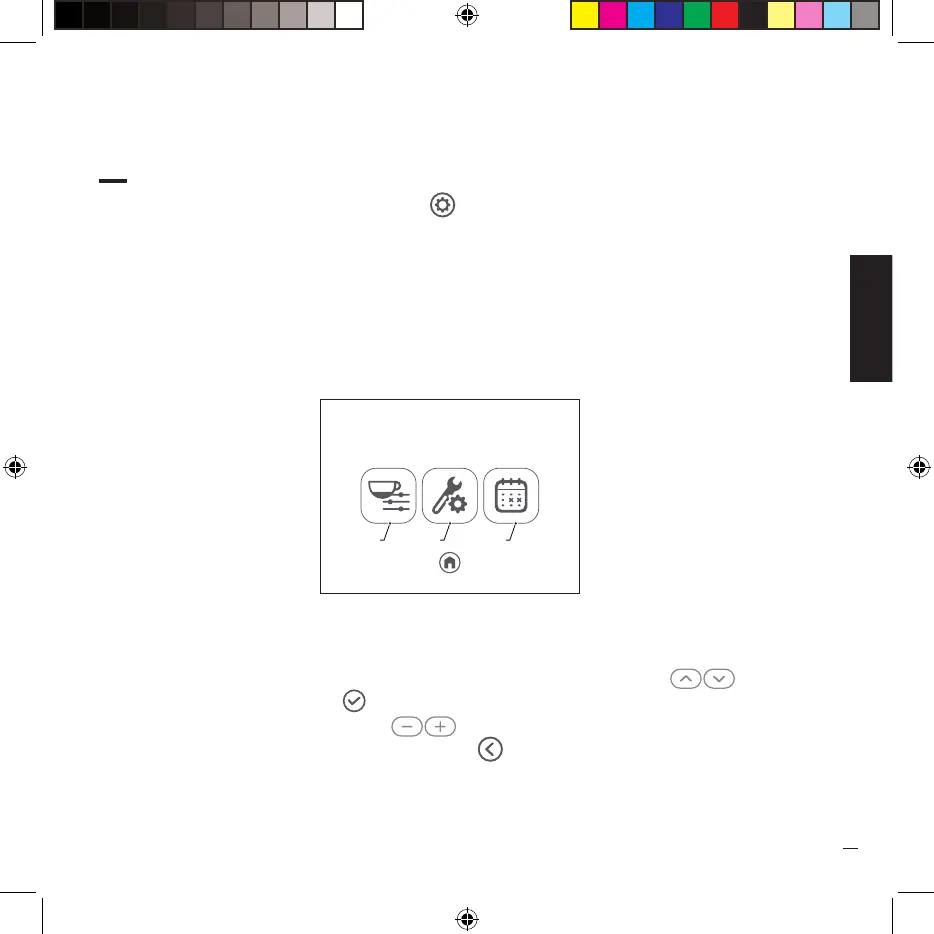
· From the “HOME” page, press the icon ( ) to access the machine settings. At this point you
can access the following pages by pressing the respective icons:
1 Set coffee brewing values and parameters.
2 Access to system setup pages.
3 Change the automatic on/off programming (present only if the function was set the first
time it was turned on).
· To navigate and set all the items in the submenus, use the right arrows ( ) and confirm
your choice by pressing the ( ) key.
To increase the value use the keys ( ) while to cancel an operation and/or return to the
main menu press the arrow at the bottom left ( ).
Settings
00:00
1 2 3


 To Next Page