30
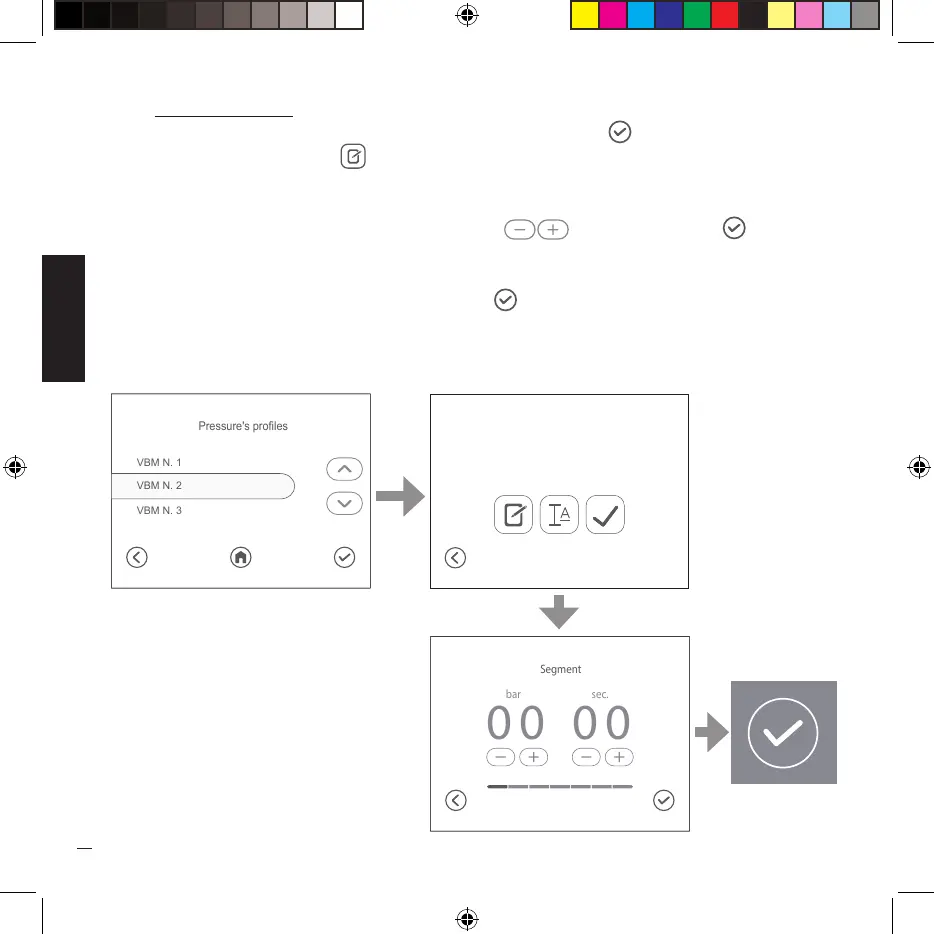
Edit current profile
Select the desired profile from the list and press the key ( ), when the next screen is
displayed press the key ( ) to access the modification of the seven segments that make
up the profile.
Set the pressure and time value using the keys ( ) then press the key ( ) to go from
segment 1 to segment 2 and repeat the operations up to segment seven.
At the end of the seven segment setting, the screen where you can enter the profile name
will appear, after typing the name, press the ( ) key to confirm the setting.
applyrename
modify
0 9 bar
VBM n. 1
VBM N. 1
VBM N. 3
VBM N. 2
Pressure's profiles


 To Next Page