31
SYSTEM SETTINGS
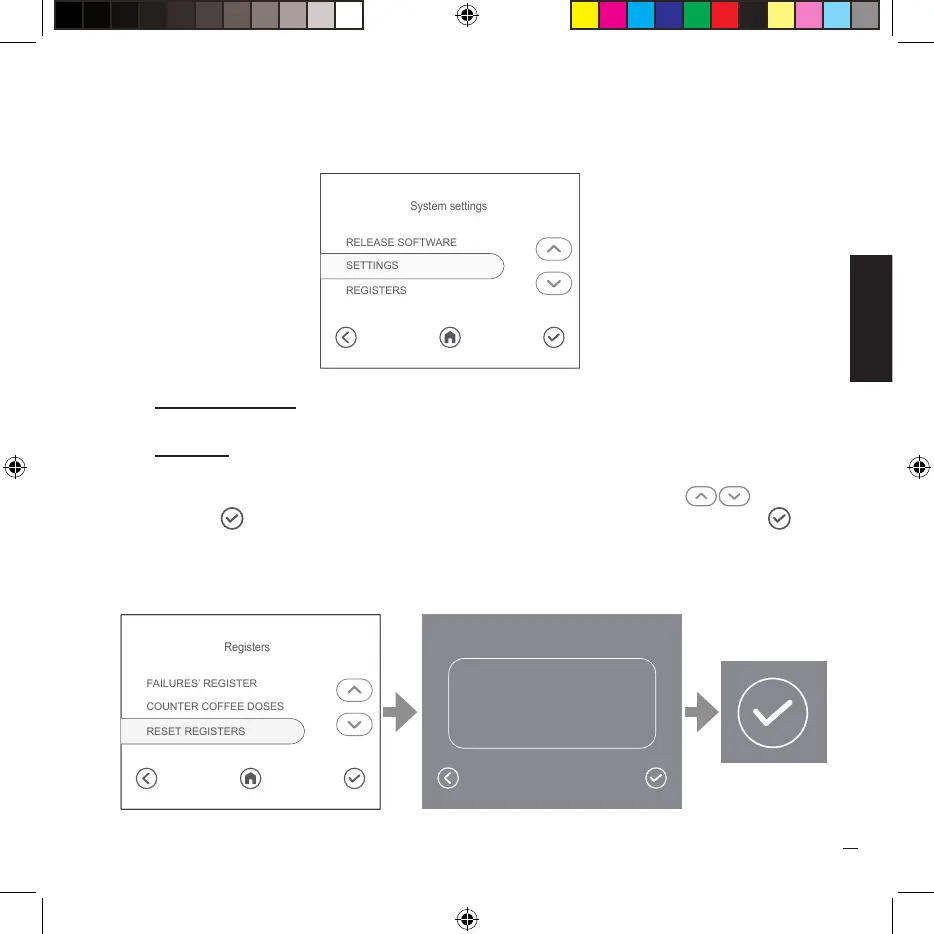
In this screen, the user has the possibility to access the following system pages:
• Release software - screen where the software version is displayed.
• Registers - screens in which it is possible to consult the fault register and the counters of
the brewed coffees.
To reset the registers, select the “REGISTER RESET”item, press the keys ( ) then press
the key ( ) to go to the confirmation screen, press again to reset the registers ( ).
RELEASE SOFTWARE
REGISTERS
SETTINGS
System settings
FAILURES’ REGISTER
RESET REGISTERS
COUNTER COFFEE DOSES
Registers
Are you sure to reset
all the registers?


 To Next Page