5
* Depending on version
SECURITY
For theft protection this set is provided with the
following security features :
DETACHABLE FRONT
Take the detachable front with you when leaving
the car. Keep it in its protective cover. Always
replace the detachable front before starting to
drive.
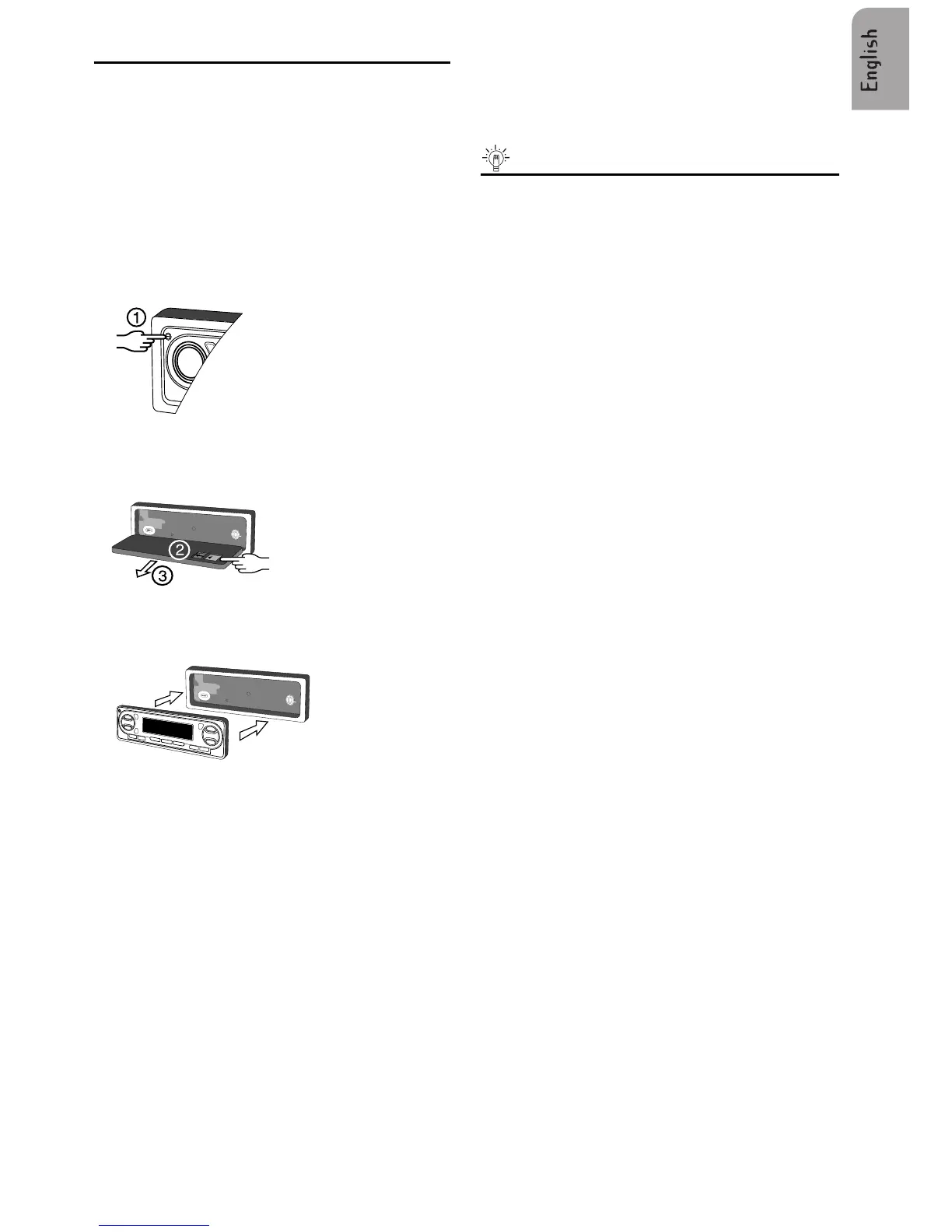
REMOVING THE FRONT
• Open the front (1).
• Push the button in the direction of the arrow as
shown (2).
• Remove the front (3).
REPLACING THE FRONT
• Insert the front until it clicks into position.
To ensure good connection between the set and
the detachable part, it is advisable to clean the
connectors with a cotton swab from time to time.
SECURITY LIGHT
• When the car ignition is switched off and the
detachable front is removed, the red light
flashes.
Useful tips
You can switch off the flashing warning light.
• See INITIAL SETTINGS; select Option 'LED'
and set the Choice to 'OFF'.
SECURITY WARNING STICKERS
• Stick the supplied 'Security' warning stickers
on your car windows.
IDENTIFICATION NUMBER
This set has a unique identification number (stated
on the 'Security card'). This card is required as a
proof of ownership when the set is stolen, when
the detachable panel is lost or when requesting
service.
• Remove the 'Security card' before installing the
set. Do not keep the 'Security Card' in your car.



 To Next Page