32
en
7.5. Operation
7.5.1. Switch-On, Standby Mode and
Switch-Off
Switch-On
Press the POWER key. All LEDs will light up.
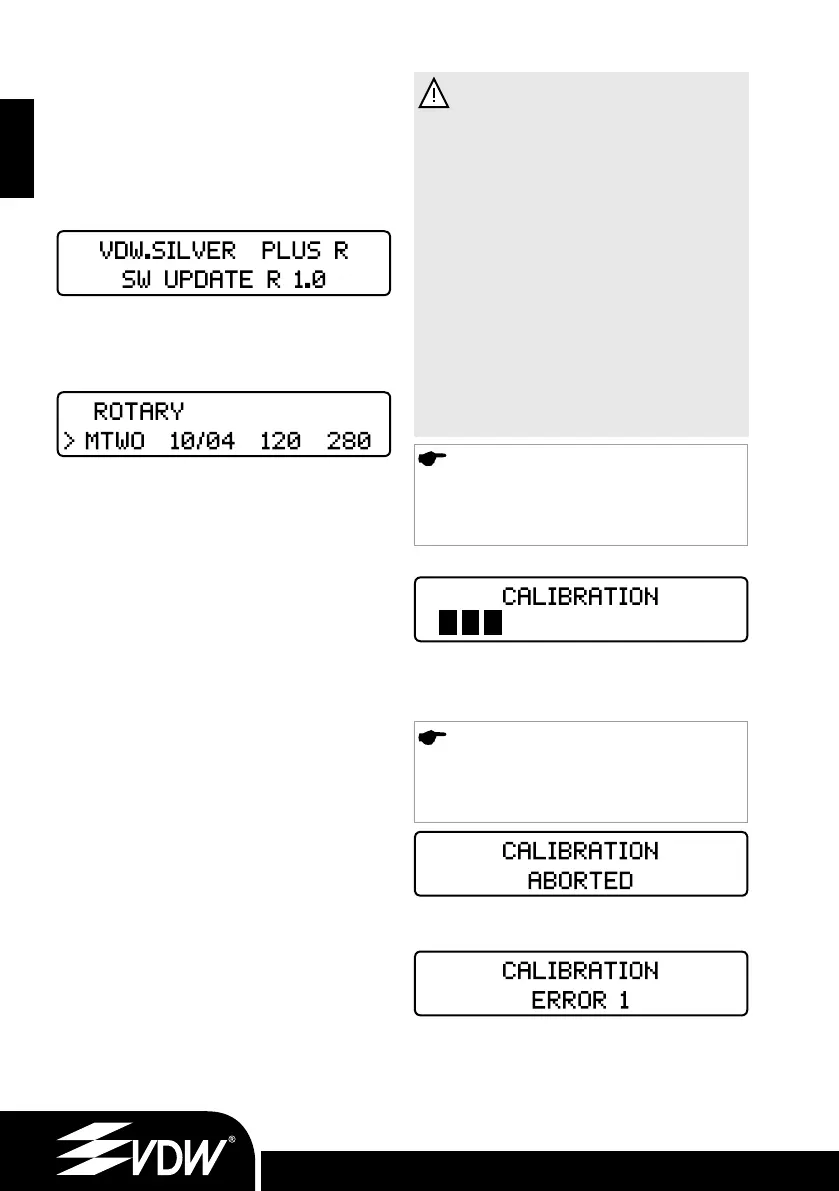
A welcome screen displays the current software
version:
On following uses, it will display the first file in the
system last used before switching the device off
or the last file used before switching into standby
mode.
Standby Mode
After the device has not been used for 10 minutes,
the device will automatically enter the standby
mode to conserve battery power. The display will
switch off and the green LED on the power key
will flash. To exit the standby mode, press any key
or the foot pedal: the device will switch on and
resume functionality from the last screen displayed
prior to entry in standby. After 30 minutes in
standby mode, the device will switch off to
conserve battery power. It can be switched on
again by pressing the POWER key.
Switch-Off
Press the POWER key to switch off the device. The
battery LED (4), Fig. 4 will not light up unless the
battery is charging.
7.5.2. Calibration
Calibrating CAL (2), Fig. 4 the micromotor auto-
matically adjusts the torque measurement to
ensure torque accuracy each time the micromotor
has been changed, the contra-angle is replaced,
autoclaved and/or lubricated.
• Connect the VDW Endo 6:1 contra-angle to the
micromotor (without a file).
• Hold down the CAL (2) key.
• The micromotor will turn from the minimum to
the maximum speed to measure the contra-angle
inertia automatically.
WARNINGS
• Never press the calibration button during
treatment.
• During calibration, the micromotor will
vary its speed from the minimum value to the
maximum value. Do not insert any file.
The calibration process can be aborted by
pressing any key or foot pedal.
• Calibrate every time the contra-angle is
lubricated or replaced after sterilizing, or at
least once a week.
• Do not use any other contra-angle or
other reduction rate than the original one.
• Refer to the separate operating instruc-
tions of the VDW Endo 6:1 contra-angle
before lubricating it.
NOTE
The VDW Endo 6:1 contra-angle reduces
the speed so that the instrument will rotate
at the speed shown in the display.
During the calibration process the display will read:
The process automatically stops as soon as
calibration has been completed, showing all black
bars on the display.
NOTE
Should you at any time wish to stop the
calibration process, press any key or the
foot pedal. The display will read:
Possible Error Warnings
The display then will read for example:
Error 1: The micromotor is not properly con-
nected to the device or it is damaged. Check the
connection first.
Error 2: The contra-angle has a high resistance
during rotation. Check the contra-angle. Lubricate
if necessary.
9.6.11_VDW.SILVER_RECIPROC Upgrade Stick_inhalt.indd 329.6.11_VDW.SILVER_RECIPROC Upgrade Stick_inhalt.indd 32 09.06.2011 17:18:0109.06.2011 17:18:01


 To Next Page
 Loading...
