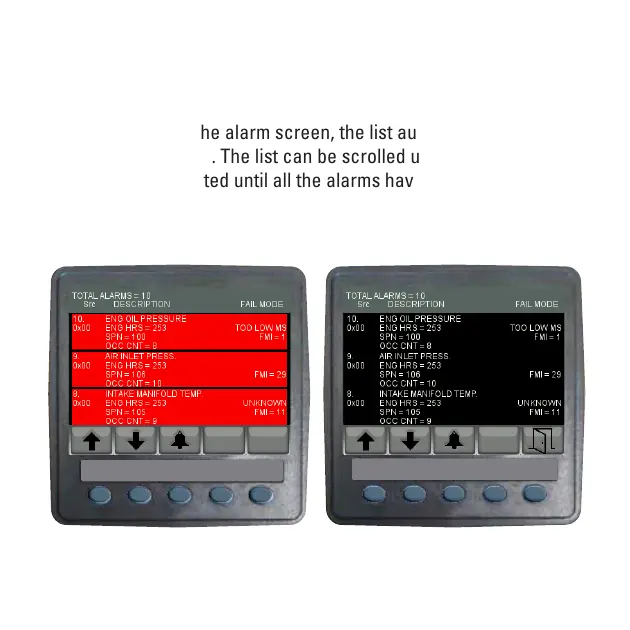
in black text on a red background. Alarms already acknowledged are
shown in white text on black. If the engine hours data is available, the
list indicates when the alarm was initiated.
When first entering the alarm screen, the list automatically displays
the most recent alarm. The list can be scrolled using keys 1 and 2. This
screen cannot be exited until all the alarms have been acknowledged
by pressing key 3. Alarm messages are automatically cleared from the
list when no longer received by the VEM.
Alarm Screen
before Alarm Acknowledge
VeeCAN 320
TM
Alarm Screen
after Alarm Acknowledge
VeeCAN 320
TM
SPN 3719 - usually
indicates forced
Regen is required



 To Next Page