Need help?
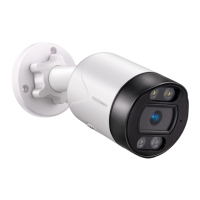
Do you have a question about the VEEZOOM WS-N151BS and is the answer not in the manual?
Explains how to power VEEZOOM PoE cameras using PoE injector, NVR, or a DC power adapter.
Step-by-step guide for physically mounting the camera, including drilling, base installation, and view adjustment.
Explains the live view screen and its various icons for camera control and monitoring.
Setup for motion detection, including zones, sensitivity, and alerts.
Recommended SD card specs and steps for installing it into the camera.
Guide to updating camera firmware via OTA or enabling automatic updates.
Solutions for camera power issues and compatibility with third-party surveillance software.
 General
| Brand | VEEZOOM |
|---|---|
| Model | WS-N151BS |
| Category | Digital Camera |
| Language | English |


 To Next Page