HB-3plus Headset Adaptor Box 5
2.3.8 NENA Phone Connections
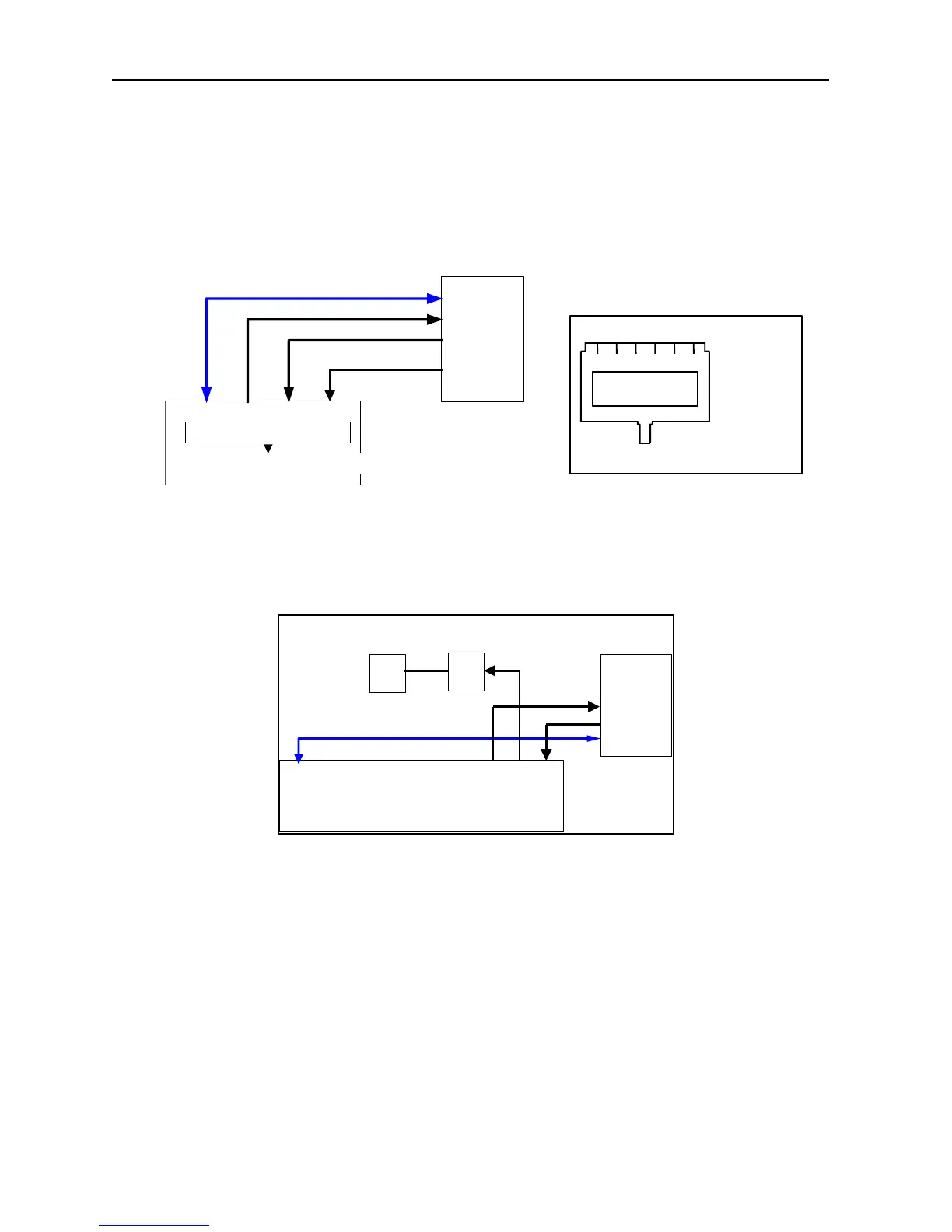
The HB-3PLUS connects to a NENA device from the RJ-12 NENA PHONE connector. The HB-
3PLUS NENA Tx and RX are balanced 600-ohm audio connections to eliminate DC differences
or ground loops between the systems. The off-hook condition is triggered by a contact closure to
ground. The hook switch input is diode protected from DC voltages above +5VDC.
Refer to Figure 7 for the Wiring diagram and connector pin-out.
Figure 7 NENA to PC Connections and Pinout
2.3.9 HB-3PLUS to PC Sound Card Connections
Three Audio Cables are provided for connection of the HB-3PLUS to the PC sound card and
desktop speakers. The desktop speakers MUST be amplified. Refer to Figure 8.
PC with
Soundcard
L
R
Amplified Desktop Speakers
SPKR
IN
MIC
OUT
SPKR
OUT
Speakers
Mic
SERIAL
Select Unselect
Figure 8 HB-3 PLUS to PC Connection Diagram
NENA
Phone
RX from NENA
TX to NENA
Ground
Hook-switch
6 2 & 5 3 & 4 1
NENA PHONE CONNECTOR
1 2 3 4 5 6
1)
Hook Switch
2)
OUT
3)
IN
4)
IN
5)
Out
6)
Ground
RJ-12 Connector Rear View


 To Next Page