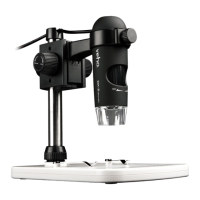
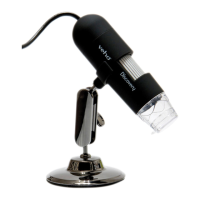
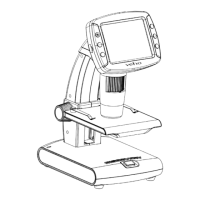
The Veho DX-1 Discovery Microscope is a versatile digital microscope designed for exploring the microscopic world, suitable for students, teachers, laboratory research, medical analysis, repair services, and hobbyists. This user manual provides comprehensive instructions for assembly, software installation, operation, and maintenance of the device.
Function Description:
The Veho DX-1 microscope allows users to magnify objects up to 200 times, capturing still photos and video footage of microscopic details. It connects to a computer via USB and utilizes dedicated software, Micro Capture Plus, for viewing, capturing, and analyzing images. The device features adjustable LED lighting to illuminate specimens and a focus wheel for precise image clarity. Its primary function is to provide a magnified view of small objects, enabling detailed observation, measurement, and documentation.
Important Technical Specifications:
- Image Sensor: 2 Mega Pixels
- Photo Resolution: 1920 x 1080, 1280 x 720, 640 x 480
- Video Resolution: 1920 x 1080, 1280 x 720, 640 x 480
- Focus Range: Manual focus from 0mm to 150mm
- Magnification Ratio: 10x or 200x
- Video Format: AVI
- Photo Format: JPEG
- Light Source: 8 LEDs (brightness adjustable)
- PC Interface: USB2.0
- Power Source: 5V DC from USB port
- System Requirements:
- Windows: 7/8/10
- Mac OS: 10.12 and later
- Processor: P4 1.8 or above
- RAM: 1GB
- Video Memory: 126M
- USB port: 2.0
- Languages (Bundle Software): English, German, Spanish, Russian, Italian, French, Portuguese, Dutch, Polish, Japanese, Korean, Chinese
- Bundle Software: MicroCapture Plus (with measurement for Win/Mac)
- Dimensions (Microscope): 110mm x 33mm
Usage Features:
- Assembly: The microscope easily attaches to an adjustable cradle stand. Users position the cradle stand upright, align fixing points on the microscope with those on the cradle, and gently push until it clicks into place. The angle of the cradle can be adjusted by loosening and tightening a locking nut.
- Controls:
- Focus Wheel: Located on the front of the microscope, it adjusts the focus on the object. Rotating clockwise zooms in, and anti-clockwise zooms out.
- Brightness Wheel: Adjusts the brightness of the 8 built-in LEDs.
- Cradle Stand: A fully adjustable alloy stand that holds the microscope.
- Locking Nut: Used to loosen and tighten the stand's angle.
- Software Installation: The Micro Capture Plus software can be installed from the supplied CD or downloaded from veho-world.com/downloads. After downloading, users double-click the install button and accept the installation prompts.
- Connectivity: The microscope should be plugged into a USB port before opening the Micro Capture Plus software. The software will display a notification if the microscope is not recognized or disconnected.
- Image and Video Capture: The Micro Capture Plus software allows users to capture still photos and video footage. Settings such as resolution, date and time, interface language, full-screen mode, and a timer for capture can be adjusted within the software.
- Calibration & Measurements:
- Calibration Process: To calibrate, users focus the microscope on the supplied calibration ruler, ensuring ruler lines are parallel to the blue XY guides in the software. A picture is taken, and then double-clicked to enter the measurement interface. The calibration icon is clicked, and points on the ruler are selected. A dialogue box prompts for the 'Actual dimension' (known distance between points). The software then automatically calibrates the magnification rate.
- Measurement Tools: The software offers various measurement options under the 'Measurement' icon:
- Any Angle Line Measurement: Click and drag between two points to measure a straight line.
- Continuous Line Measurement: Allows measurement of any continuous length by clicking and dragging between multiple points.
- Radius Circle Measurement: Click, hold, and extend to define a radius. The software calculates the radius, circumference, and area of the circle.
- Diameter Circle Measurement: Click, hold, and extend to define a diameter. The software calculates the diameter, circumference, and area of the circle.
- Three Points Angle Measurement: Select any three points to calculate and display angle values.
- Changing Calibration Settings: Users can reset magnification, set picture magnification, and set capture magnification within the software to ensure consistent measurements across images.
- Adding Drawing and Text: The software allows annotation of captured images using drawing tools (pencil icon) and text features (text icon). Users can select preferred tools, fonts, sizes, and colors for analysis and documentation.
Maintenance Features:
- Safety Precautions:
- The DX-1 microscope is not waterproof.
- Use and store in a cool, dry environment (-5°C – 50°C), avoiding damp conditions.
- Do not point the lens towards the sun or a strong light source to prevent damage.
- Avoid touching the lens, except with the supplied cleaning cloth.
- Do not stare directly into the LEDs, as they may damage eyes.
- Troubleshooting:
- Blurred or Shaky Image: Correct by turning the Focus Wheel. Use the microscope stand to avoid shake during capture.
- Microscope Does Not Turn On: Try a different USB port. Ensure Micro Capture Plus software is downloaded.
- Screen is Blank: Ensure the software is open and the scope is plugged in. Check that the item to be viewed is positioned correctly under the lens and that the scope is focused.
- Image Looks Smudged or Blurred: Clean the screen and lens carefully with the supplied cleaning cloth.
- Support: For assistance or questions, users can contact Veho via Live Chat on their website: veho-world.com.

 Need help?
 General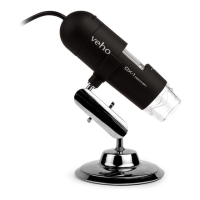

 To Next Page