6 7
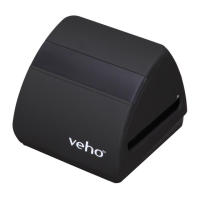
5. Align the slide/negave holder in the scanner using the LCD screen on the front.
6. Press the copy buon to scan the slide/negave into a digital image. To get the best result, wait
for 3-4 seconds for the scanner to adjust the brightness for each slide/negave before pressing
the copy buon.
7. Aer the brightness has automacally been set, you can manually adjust the exposure of the
image before scanning. Press the EV/Delete Buon to adjust the exposure Value (EV), then
use the Up to Down buon to adjust from +2EV to -2EV in increments of 0.5. The value of
EV adjustment is shown at the boom of the LCD screen.
8. Once you have scanned the rst image in the holder, move the holder to the next posion
and repeat unl you need to put new slides/negaves into the holder.
2. Press the power buon to turn the power on.
3. Press the Film Type buon to select the correct mode for the slide/negave in the holder.
4. Insert the slide/negave holder into the right hand side of the scanner, as indicated by the p
symbol on the scanner and the slide/negave holder.
EnglishEnglish
x1
x2
x3
x4
x5



 To Next Page
 Loading...