12 13
1. Qu’est-ce qu’il y a dans la boîte?
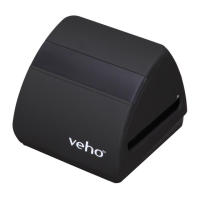
¢ Scanner Veho Smarix SF-1
¢ 135 roir
¢ 135 bac négaf
¢ 110 bac négaf
¢ 126 roir négaf
¢ Brosse de neoyage
¢ Câble USB USB-A vers Mini-B
¢ Prise 3,5 mm sur le câble RCA jaune
¢ Baerie aux ions lithium
¢ Guide de démarrage rapide
2. Contrôles
FrançaisEnglish
Pebble P1 10,400mAh Portable Charger
VPP-007-P1
M7 Bluetooth Wireless Speaker
VSS-014-M7
USB Travel Adapter
VAA-200-TA1
• Reorient or relocate the receiving antenna.
• Increase the distance between the equipment and the receiver.
• Connect the equipment to a dierent power outlet other than the one where the receiver is connected.
• Consult an experienced television or radio technician for help.
CAUTION
To comply with the limits for a Class B Digise device, pursuant to Part 15 of the FCC Rules, this device must only be installed on computer
equipment cered to comply with the Class B limits.
This unit may contain a microcomputer for signal processing and control funcon. In very rare situaons, severe interference, noise from an
external source, or stac electricity may cause it to lockup. In the unlikely event that this should happen, turn o the unit, wait at least ve
seconds, and then turn it back on again.
Other Veho Products
Type de lm/bouton HautMode de lecture
Emplacement pour carte SD
Connecteur TV Out Connecteur USB Out
Housse de baerie
EV/Supprimer Bouton Down
OK/Copier le bouton
Marche/arrêt
Achage LCD
FILM/Slot de support
de glissière



 To Next Page
 Loading...