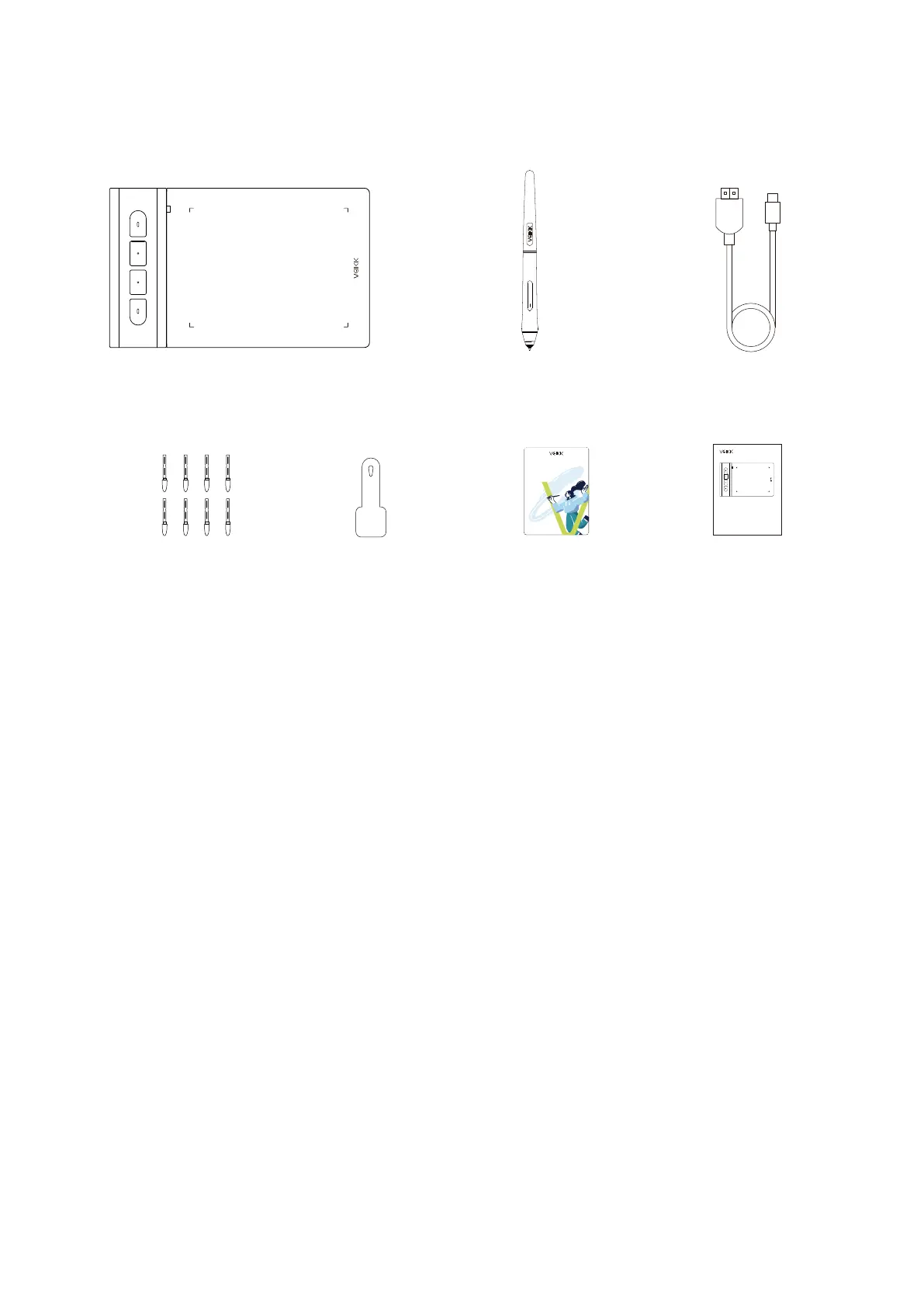
2.Packing List
2
3.Installing Driver
Battery-free PenVK430 Pen Tablet
Pen Nibs Nib Removal Driver Download
Reminder
Quick Start Guide
USB-A to USB-C
Cable
3.2 Installation
3.1 OS Support
For Chrome OS computer and the Android mobile phone:
No need to install VEIKK driver on the Chrome OS computer and the
Android mobile phone.
Windows 11/10/8/7(32/64 bits) / macOS 10.12 or later
Linux / Chrome OS88 or later
Android 6.0 or later (Except Samsung Android device)
For macOS, Windows and Linux computer:
1. Before installing the driver, please uninstall all tablet drivers from your
computer and keep all antivirus programs and the drawing software closed.
2. Connect the tablet to your computer before installation (Please refer
to 4.Tablet Connection).
3. Please download the driver from www.veikk.com.
4. Click Driver.exe and follow onscreen instructions.
5. Restartyourcomputerafterinstallation.
Driver Download
Please download the driver and manual from
Veikk website: www.veikk.com
Note: Before installing the driver,
please uninstall all tablet drivers from your computer,
and keep all antivirus programs and drawing programs closed.
Quick Start Guide
Creator Pop VK430 Pen Tablet
www.veikk.com


 To Next Page